Tutorials
NVIDIA Warp + MjWarp: 7-Step Robotics Sim Tutorial
A practical walkthrough for using NVIDIA Warp and MjWarp to run massively parallel MuJoCo simulations on GPU and speed up robotics RL training.
September 30, 202614 min read
A practical walkthrough for using NVIDIA Warp and MjWarp to run massively parallel MuJoCo simulations on GPU and speed up robotics RL training.
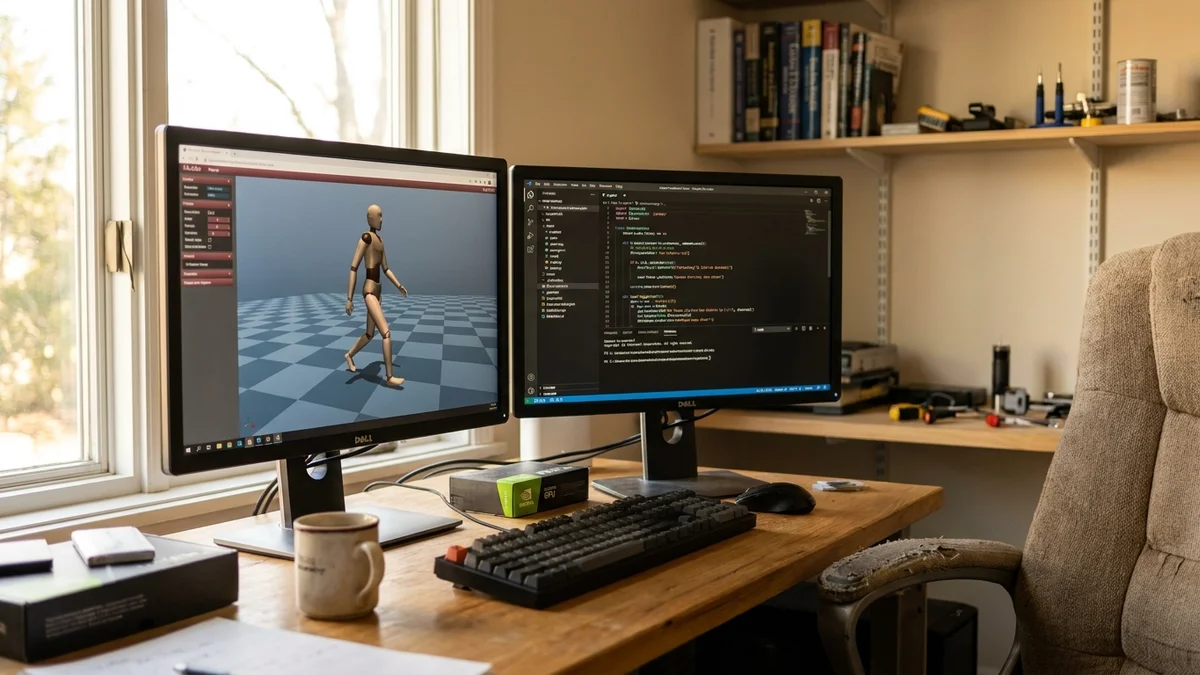
Robotics teams have been quietly begging for one thing since 2023: MuJoCo on the GPU without weird tradeoffs. And with NVIDIA Warp plus MjWarp, that's finally the default story for 2026.
This tutorial walks through installing both libraries, writing your first Warp kernel, running thousands of MuJoCo environments in parallel with MjWarp, and plugging the whole thing into a reinforcement learning loop. It's written for engineers who already know Python and a little PyTorch but haven't touched Warp before.
The short version: NVIDIA Warp is a Python framework that JIT-compiles regular-looking Python functions into CUDA kernels. MjWarp is a Warp-based backend for MuJoCo that runs simulation entirely on the GPU. Together they let you scale from one robot to tens of thousands of parallel environments on a single card.
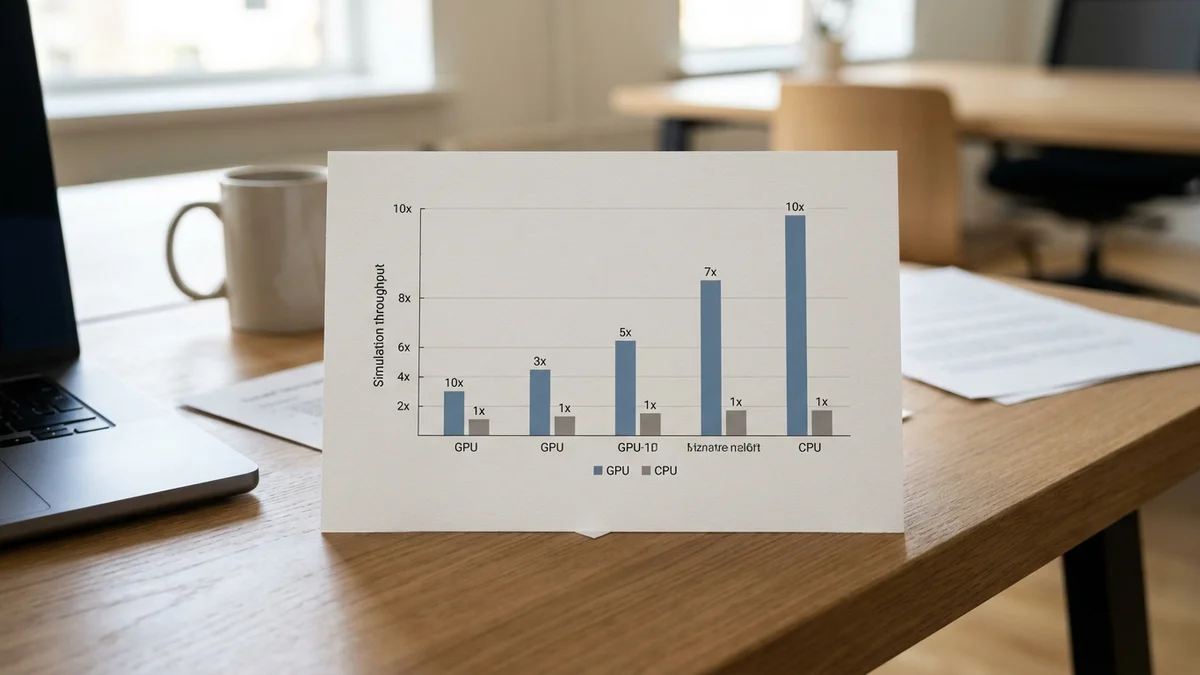
And yes, it's genuinely fast. According to the Hugging Face blog post from NVIDIA, MjWarp can outperform CPU MuJoCo by more than an order of magnitude on training-scale batch sizes.
Warp plus MjWarp is the first path that keeps MuJoCo semantics, keeps PyTorch, and still delivers GPU throughput. That combination is why this stack is worth learning right now.
By the end of this tutorial you'll have:
Nothing fancy, nothing academic. Just the pieces you need to start replacing CPU-bound rollouts with GPU rollouts.
Before you start, make sure you have:
If you're on a laptop iGPU or Apple Silicon, stop here. Warp needs CUDA. There's no CPU-only path that would be worth writing about.
| NVIDIA Warp | MjWarp | |
|---|---|---|
| What it is | Python-to-CUDA JIT for custom kernels | GPU backend for MuJoCo physics |
| Written by | NVIDIA | Google DeepMind |
| Requires CUDA | Yes | Yes (uses Warp under the hood) |
| PyTorch interop | Zero-copy tensor sharing | Zero-copy via Warp |
| Best for | Custom rewards, observations, math kernels | Batched robot simulation at 1k-10k envs |
| Typical speedup vs CPU | Depends on kernel | 10-100x on training workloads |
Installing Warp is a one-liner. The package ships prebuilt CUDA binaries so you don't need to compile anything.
pip install warp-lang
Verify the install with a quick sanity check:
import warp as wp

wp.init()
print(wp.get_device())
print(f"Warp version: {wp.__version__}")
You should see something like cuda:0 and a version string in the 1.x range. If you see cpu only, your CUDA runtime isn't visible, and Warp will fall back to a much slower path.
Pro tip: run nvidia-smi first. Half of Warp "bugs" reported on GitHub turn out to be driver mismatches.
Warp kernels look like Python functions with a decorator. The library parses the AST and generates CUDA under the hood.
import warp as wp
import numpy as np

wp.init()

@wp.kernel
def vector_add(a: wp.array(dtype=wp.float32),
               b: wp.array(dtype=wp.float32),
               out: wp.array(dtype=wp.float32)):
    i = wp.tid()
    out[i] = a[i] + b[i]

n = 1_000_000
a = wp.array(np.random.rand(n).astype(np.float32), device="cuda")
b = wp.array(np.random.rand(n).astype(np.float32), device="cuda")
out = wp.zeros(n, dtype=wp.float32, device="cuda")

wp.launch(vector_add, dim=n, inputs=[a, b, out])
wp.synchronize()
print(out.numpy()[:5])
A few things worth knowing here. The @wp.kernel decorator triggers JIT compilation on first call, so the first launch is slower than the ones after. And wp.synchronize() matters when you're timing anything, because kernel launches are asynchronous by default.
This is the same programming model you'll use later for custom reward functions or observation transforms inside your RL loop.
MjWarp is distributed as a separate package. It depends on both Warp and the standard MuJoCo Python bindings.
pip install mujoco mujoco-warp
Check the install by loading the classic humanoid model:
import mujoco
import mujoco_warp as mjw

model = mujoco.MjModel.from_xml_path("humanoid.xml")
data = mujoco.MjData(model)

mjw_model = mjw.put_model(model)
mjw_data = mjw.put_data(model, data, nworld=1)
print(mjw_data.qpos.shape)

The nworld argument is the whole point. It's the number of parallel simulation instances that share the same model but have independent state. This is where Warp earns its keep.
Switching from one environment to 4,096 is a single argument change:
nworld = 4096
mjw_data = mjw.put_data(model, data, nworld=nworld)

for step in range(1000):
    mjw.step(mjw_model, mjw_data)

wp.synchronize()
That's the whole loop. No batching code, no threading, no environment vectorization wrapper. Every field on mjw_data (positions, velocities, contact forces) is a Warp array with a leading nworld dimension.
On a modern Ada-generation NVIDIA card, nightly benchmarks from the MuJoCo Warp repo (recorded on an RTX 6000 Ada) show throughput in the millions of steps per second for standard MJCF models like humanoid. That's not a typo. The CPU version tops out around a few thousand steps per second on the same models.
But you'll pay for it in memory. 4,096 humanoids at fp32 will happily eat 8 to 12 GB of VRAM depending on contact configuration. If you OOM, cut nworld in half and try again.
Warp arrays share memory with PyTorch tensors via zero-copy conversion. This is the piece that makes end-to-end GPU RL actually pleasant.
import torch

qpos_torch = wp.to_torch(mjw_data.qpos)
qvel_torch = wp.to_torch(mjw_data.qvel)
obs = torch.cat([qpos_torch, qvel_torch], dim=-1)

policy = torch.nn.Sequential(
    torch.nn.Linear(obs.shape[-1], 256),
    torch.nn.Tanh(),
    torch.nn.Linear(256, model.nu),
).cuda()

action = policy(obs)
ctrl_warp = wp.from_torch(action, dtype=wp.float32)
mjw_data.ctrl.assign(ctrl_warp)
mjw.step(mjw_model, mjw_data)
No host-device copies. No numpy round-trips. The policy forward pass, the simulation step, and the reward computation all stay on the GPU.
This is where the throughput numbers start to matter for real training runs. PPO iterations that used to take minutes on CPU-vectorized MuJoCo commonly drop by more than an order of magnitude on GPU with MjWarp, and Isaac Lab now integrates MjWarp via Newton for exactly this reason. Your mileage will vary based on batch size and model complexity, but the direction is consistent.
One of the underrated wins here is writing rewards as Warp kernels instead of PyTorch ops. It avoids kernel launch overhead when the reward is simple element-wise math.
@wp.kernel
def locomotion_reward(qvel: wp.array2d(dtype=wp.float32),
                     ctrl: wp.array2d(dtype=wp.float32),
                     reward: wp.array(dtype=wp.float32)):
    i = wp.tid()
    forward_vel = qvel[i, 0]
    ctrl_cost = wp.float32(0.0)
    for j in range(ctrl.shape[1]):
        ctrl_cost += ctrl[i, j] * ctrl[i, j]
    reward[i] = forward_vel - 0.1 * ctrl_cost

reward = wp.zeros(nworld, dtype=wp.float32)
wp.launch(locomotion_reward,
          dim=nworld,
          inputs=[mjw_data.qvel, mjw_data.ctrl, reward])
Why do it this way? Because you get a single fused kernel instead of five PyTorch ops with intermediate allocations. Not always faster for complex rewards, but for simple locomotion-style rewards it consistently is.
Warp ships a built-in profiler that's genuinely useful. Use it before you start tuning anything.
wp.ScopedTimer("sim_step", active=True)
with wp.ScopedTimer("sim_step"):
    for _ in range(100):
        mjw.step(mjw_model, mjw_data)
    wp.synchronize()
For deeper analysis, run your script under Nsight Systems (nsys profile python train.py). You'll see the actual kernel timeline and can spot serialization bottlenecks like host-side reward computation or Python callbacks that break the async pipeline.
A few things that trip up almost everyone the first week:
Forgetting wp.synchronize() when timing. Kernel launches return immediately. If you call time.time() right after wp.launch(), you're timing the launch, not the work.
Mixing devices silently. A tensor on cpu passed into a cuda kernel triggers an implicit copy every step. Use .device checks liberally.
Overallocating nworld. More environments isn't always faster because of memory bandwidth pressure. Sweep nworld from 256 to 8192 and find the throughput knee for your specific model.
Assuming MjWarp matches MuJoCo bit-exact. It's numerically close but not identical. Policies trained on one and evaluated on the other can behave slightly differently, especially at contact-heavy timesteps.
Run this end-to-end sanity check before you invest in a real training script:
import time
import mujoco
import mujoco_warp as mjw
import warp as wp

model = mujoco.MjModel.from_xml_path("humanoid.xml")
data = mujoco.MjData(model)
mjw_model = mjw.put_model(model)
mjw_data = mjw.put_data(model, data, nworld=4096)

wp.synchronize()
start = time.time()
for _ in range(1000):
    mjw.step(mjw_model, mjw_data)
wp.synchronize()
elapsed = time.time() - start

steps_per_sec = 4096 * 1000 / elapsed
print(f"Throughput: {steps_per_sec:,.0f} steps/sec")
On a modern Ada-class GPU you should see millions of steps per second for the classic humanoid. If you're getting less than a few hundred thousand at 4,096 environments, something is wrong (usually a driver or memory issue).
Once this is working, the natural progressions are:
torch.distributed and per-rank env batchesMjWarp is still moving fast, so pin your versions if you're running production experiments. And keep an eye on the MuJoCo release notes because feature parity with the CPU version is improving basically every release.
GPU-native robotics simulation used to mean rewriting everything in Isaac Gym or accepting Brax's JAX-only ecosystem. Warp plus MjWarp is the first path that lets you keep MuJoCo semantics, keep PyTorch, and still get GPU throughput. That combination is why this stack is worth learning right now.
Not yet. As of early 2026, MjWarp covers the core dynamics, contacts, and actuator types used in most locomotion and manipulation tasks, but some advanced features like plugins, custom callbacks, and certain constraint types are still incomplete. Check the feature parity matrix in the mujoco_warp GitHub README before porting a complex model.
No. Warp compiles to CUDA and requires an NVIDIA GPU with compute capability 7.0 or higher. There is a CPU fallback for development, but it defeats the entire purpose of using Warp. For AMD or Apple Silicon robotics work, look at Brax on JAX or MuJoCo XLA instead.
Budget roughly 2 to 4 GB per 1000 humanoid-scale environments at fp32. A 12 GB card comfortably handles 4,096 environments for standard MJCF models. If you need larger batches, either move to a 24 GB card like the 4090 or 3090, or reduce model complexity and contact counts.
Close, but not bit-exact. Floating-point ordering differences on GPU produce small numerical divergences that accumulate over long rollouts. Policies trained in MjWarp usually transfer to CPU MuJoCo without retraining, but for contact-heavy tasks you should validate on both simulators before deploying.
Not through MjWarp itself yet. Warp supports forward and reverse mode autodiff on kernels, but differentiability through the MjWarp simulation step is not yet available (tracked in mujoco_warp issue #500). You can still use Warp's autodiff for custom reward or observation kernels, and use standard RL methods like PPO through the non-differentiable MjWarp step for now.