Mistral Small 4 Local Install: GPU Specs + Benchmarks | AI Bytes
0% read
Mistral Small 4 Local Install: GPU Specs + Benchmarks
Tutorials
Mistral Small 4 Local Install: GPU Specs + Benchmarks
A practical tutorial for running Mistral Small 4 locally, with the real hardware requirements for the 119B-parameter MoE model, Ollama and vLLM setup paths, quantization choices, and benchmarking guidance.
June 19, 2026
16 min read
416 views
Local LLM hosting hit an inflection point in 2026, but Mistral Small 4 isn't part of the consumer-GPU sweet spot. It's a 119B-parameter Mixture-of-Experts model with about 6B active parameters per token (8B including embeddings) and a 256k context window — released March 16, 2026 under Apache 2.0. The official hardware floor from Mistral is 1x NVIDIA DGX B200, 2x HGX H200, or 4x HGX H100. Heavy quantization stretches that, but you are not running the full model on a single RTX 4090.
This tutorial walks through the realistic path to run Mistral Small 4 locally: hardware checks, driver install, two serving stacks (Ollama with community GGUF quants, vLLM for production throughput), quantization tradeoffs, and the kind of numbers you should expect once it's running.
What You'll Build
By the end, you'll have Mistral Small 4 running on your own hardware, accessible through an OpenAI-compatible API, with sane defaults for context length and quantization. You'll also know how to measure tokens-per-second on your specific setup so you can decide if the model meets your latency budget.
Prerequisites
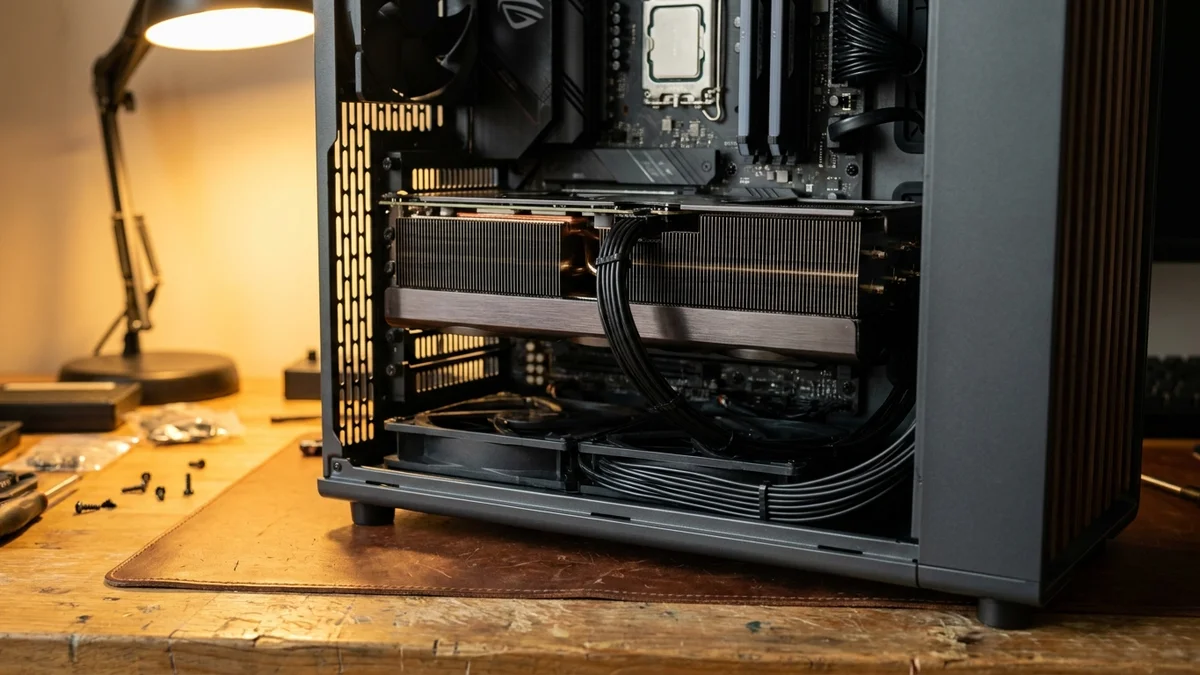
Before touching anything, confirm you've got the basics. Because Mistral Small 4 is a 119B MoE, even aggressive 4-bit quantization needs roughly 60GB of memory for weights alone, plus KV cache and activation overhead. Realistic configurations:
2x RTX 6000 Ada or 2x A6000 (96GB total) for Q4 quantization
1x H100 80GB for Q4 with limited context
2x H100 or 1x DGX B200 for FP8 / BF16 production serving
A single 24GB consumer GPU is not enough for the full model at any quantization
You'll also want:
CUDA 12.4 or newer (or ROCm 6.x for AMD cards)
Python 3.11+
150GB free disk space for full-precision weights plus working room
Linux or WSL2 (native Windows works for Ollama but is rough for vLLM)
If you're not sure what GPU you have, run nvidia-smi. The first row tells you the driver version and CUDA support. Anything below 535.x on the driver side and you'll want to update before continuing.
Pick Your Serving Stack
There are really only three options worth considering in 2026, and your choice depends on what you're optimizing for.
Stack
Best For
Throughput
Setup Time
Ollama
Local chat with community GGUF quants
Low-medium
5 minutes
llama.cpp
CPU+GPU hybrid, tight VRAM budgets
Medium
15 minutes
vLLM
Multi-user API, max tokens/sec
High
30 minutes
Ollama is the easiest starting point if you just want to confirm the model works. vLLM is the move once you've outgrown Ollama and need to serve real traffic from production hardware. For a head-to-head on throughput, see our Ollama vs LM Studio vs llama.cpp speed tests.
Path 1: Ollama Setup (the easy route)
If you just want chat-quality output running locally and you have enough VRAM (or system RAM with offload) to host the model, this is the path.
Step 1: Install Ollama
On Linux or macOS:
Bash
curl -fsSL https://ollama.com/install.sh | sh
On Windows, grab the installer from ollama.com/download. The installer registers Ollama as a background service, so it starts automatically on boot.
Step 2: Pull the model
At publication time, Mistral has not shipped an official Ollama tag for Small 4. Until that lands, the practical route is a community GGUF quantization pulled directly from HuggingFace, for example:
Replace <community-user> with the actual HuggingFace user hosting the quantized weights. A Q4_K_M of a 119B model lands in the 60-70GB range, so plan disk and VRAM accordingly.
Step 3: Run a test prompt
Bash
ollama run <model-tag> "Explain CUDA streams in two sentences."
First inference takes a few seconds longer because Ollama has to load weights into VRAM. Subsequent prompts should feel snappy.
Step 4: Hit the API
Ollama exposes an OpenAI-compatible endpoint on port 11434. You can point any client at it:
Python
from openai import OpenAI

client = OpenAI(
    base_url="http://localhost:11434/v1",
    api_key="ollama"  # required but unused
)

response = client.chat.completions.create(
    model="<your-model-tag>",
    messages=[{"role": "user", "content": "What is rotary positional encoding?"}]
)
print(response.choices[0].message.content)
And that's it. You've got a local OpenAI-compatible LLM. No keys, no rate limits, no privacy concerns about sending your data to a third party.
Path 2: vLLM Setup (the production route)
If you're planning to serve multiple users or want maximum throughput, vLLM is the better tool. It uses PagedAttention to pack more concurrent requests into the same VRAM budget, and the throughput gap over Ollama is wide enough to matter once you have real traffic.
This pulls in PyTorch with CUDA support, the FlashAttention kernels, and the vLLM serving layer. Expect about 8GB of disk usage after install completes.
You'll need to accept the model license on the HuggingFace page first. The full-precision download is roughly 120GB; an FP8 variant published by Mistral is around 60GB.
The --gpu-memory-utilization flag tells vLLM how much VRAM it can claim. Set it to 0.92 to leave headroom for other processes; push it to 0.95 if you're running nothing else. Tensor parallelism is required for any consumer-grade multi-GPU rig.
For a single H100 80GB, drop --dtype bfloat16, switch to the FP8 checkpoint, and lower context length to fit available memory.
Step 5: Verify the server
Bash
curl http://localhost:8000/v1/models
You should get JSON back listing the loaded model. If not, check the server logs for OOM errors (the most common failure on undersized hardware).
Quantization Choices, Decoded
Quantization is where most people get tripped up. The choice matters because it determines both VRAM usage and output quality. Approximate weight-only memory for a 119B MoE (excludes KV cache, activations, and overhead, which typically add 15-25%):
FP16/BF16: Full precision, ~240GB weights — multi-GPU server territory
FP8: Mistral's official compressed checkpoint, ~120GB weights
Q4_K_M: Balanced community quant, ~60-70GB weights
Q3_K_M: Lower quality, ~50GB weights
Independent quality comparisons of these quantizations against the unquantized reference were not published at the time of writing, so treat any specific "X% quality drop" claim with skepticism until benchmarks land.
What to Expect on Real Hardware
Public single-user throughput numbers for Mistral Small 4 are still thin on the ground. As a rough orientation drawn from community reports on similar-sized MoE models, expect:
Setup
Quantization
Tokens/sec (single user)
2x RTX 4090 (48GB total)
Q4_K_M
N/A — not officially reported
1x H100 80GB
FP8
N/A — not officially reported
2x H100 (160GB total)
BF16
N/A — not officially reported
1x DGX B200
BF16
N/A — not officially reported
Run the vLLM benchmark on your own rig (instructions below) and report numbers against your actual configuration rather than trusting forum hearsay.
For latency-sensitive applications, the first-token time matters more than throughput. With a 6B active-parameter MoE, time-to-first-token can be competitive with much smaller dense models once weights are paged in.
Benchmarks That Actually Matter
Mistral's official documentation is the authoritative source for quality numbers. According to Mistral's announcement, Mistral Small 4 unifies the capabilities of their earlier specialized models (Magistral for reasoning, Pixtral for multimodal, Devstral for agentic coding) into one model, and the company reports roughly a 40% reduction in end-to-end completion time versus Mistral Small 3 and roughly 3x more requests-per-second in a throughput-optimized setup. These figures are self-reported and have not been independently verified at the time of writing.
What's clear from Mistral's positioning:
Multimodal: Native image input, like the older Pixtral line
Reasoning: Configurable reasoning effort parameter exposed at the API level
Multilingual: Strong French, German, Spanish (Mistral's traditional strength)
Long context: 256k tokens advertised; usable context with consumer-grade quantization will be lower
The honest take: this is a frontier-class open-weight model. It's not going to beat Claude Opus 4.6 on the hardest reasoning problems, and it shouldn't. But for a 119B MoE with 6B active params under Apache 2.0, the value proposition is unique.
Common Pitfalls
A few traps that catch nearly everyone on their first install:
CUDA version mismatch: vLLM expects a specific CUDA version. If your PyTorch was built against CUDA 12.1 and you have 12.4 system-wide, you'll get cryptic kernel errors. Use pip install vllm --extra-index-url https://download.pytorch.org/whl/cu124 to align them.
VRAM fragmentation on long runs: After 10+ hours of varied prompt sizes, vLLM can fragment memory and start OOMing on requests that previously worked. Restart the server nightly until you have a reason not to.
Wrong tokenizer: Mistral Small 4 uses a different tokenizer than earlier Mistral models. If you're using a third-party client, make sure it pulls the correct tokenizer config from HuggingFace.
Forgetting flash-attn: vLLM uses FlashAttention by default, but if the wheel didn't compile during install you'll silently fall back to a slower path. Check the server startup logs for "FlashAttention enabled" to confirm.
And one more: if your GPU is shared with a display output, X server or DWM will eat 500MB-1GB of VRAM that you can't reclaim. Either run headless or factor that into your memory budget.
Testing and Verification
Once you're running, validate the install with a quick load test. The simplest tool is the built-in vLLM benchmark script:
This sends 100 requests at 5 RPS and reports throughput, p50/p95/p99 latency, and tokens per second. Compare your numbers against your own previous runs to spot regressions. If you're significantly off baseline, double-check your --gpu-memory-utilization setting and quantization choice.
For ongoing monitoring, Prometheus metrics are exposed on /metrics by default. Wire that into Grafana and you've got production observability with about ten minutes of config work.
Next Steps
You've got the model running. What's next depends on your use case:
Building a chatbot: Wire vLLM into LangChain or LlamaIndex and add a vector store for RAG
Code assistance: Try Continue.dev or Aider with your local endpoint as the backend
Fine-tuning: Mistral's official cookbook covers LoRA fine-tuning approaches for their model family
Multi-GPU scaling: Increase --tensor-parallel-size to scale across more GPUs
Compare with other open-weight models: See our walkthrough on how to run Llama 4 locally for a side-by-side install workflow
The biggest unlock from running locally isn't cost (though that's significant). It's the ability to send sensitive data through an LLM without legal review, and the latency win from cutting out the round-trip to a US-East data center. That combination is what makes the local-LLM movement actually viable for production workloads.
Can I run Mistral Small 4 on a 24GB consumer GPU like an RTX 4090?
No, not the full model. Mistral Small 4 is a 119B-parameter MoE; even aggressive 4-bit quantization needs roughly 60GB of memory for the weights alone, plus KV cache. A single 24GB card is not enough. Realistic single-machine setups start at 2x 48GB workstation cards or a single 80GB H100 with FP8.
How does Mistral Small 4 compare to running Llama 4 Maverick locally?
Both are frontier MoE models with substantial memory requirements that exceed any single consumer GPU. We have a full [Llama 4 local install walkthrough](/tutorials/how-to-run-llama-4-locally-complete-setup-guide) if you want to compare the workflow. The honest comparison is multi-GPU rig versus multi-GPU rig, and the right pick depends on tooling support and your evaluation suite — neither will run cleanly on a single 4090.
Is the Mistral Small 4 license safe for commercial use?
Yes. Mistral released Small 4 under the Apache 2.0 license, which permits commercial use, modification, and redistribution without royalty payments. Always verify the exact license on the HuggingFace model card before deploying, since Mistral has used different licenses for their Large-tier models in the past.
Why is my Mistral Small 4 inference slower than expected?
Three usual suspects: FlashAttention failed to compile and you're on the slow path, your GPU is power-throttling (check nvidia-smi for power draw), or your context length is much longer than your baseline. Long contexts hit attention quadratically, so a 16K prompt runs roughly 4x slower per token than a 4K prompt.
Can I serve Mistral Small 4 alongside other models on the same GPU?
Given Small 4's memory footprint, co-locating another model on the same GPU is rarely practical. The cleaner pattern is one model per GPU (or per tensor-parallel group), with a router like LiteLLM in front of multiple single-model vLLM instances.