Tutorials
Llama API Tutorial: Build Your First App in 30 Minutes
A no-fluff Llama API tutorial that ships a working streaming chatbot in under 30 minutes. Real code, real keys, real cost numbers, no GPU required.
August 31, 2026
A no-fluff Llama API tutorial that ships a working streaming chatbot in under 30 minutes. Real code, real keys, real cost numbers, no GPU required.
Most LLM tutorials waste your first 20 minutes on backstory. This one doesn't. By the end of this Llama API tutorial, you will have a streaming, memory-aware chatbot running locally, calling Llama 4 Maverick over a real API key. The whole thing fits in 80 lines of Python.
And no, you don't need a GPU. You don't need Docker. You don't need to fight CUDA drivers at midnight. So let's go.
Interesting wrinkle: a working command-line chatbot powered by Meta's Llama 4 Maverick model. It will stream tokens as they generate, hold a conversation history, and run on any laptop made in the last six years. The code is intentionally minimal so you can read it once and remember it.
This Llama API tutorial assumes nothing fancy. If you can run python app.py and edit a .env file, you're qualified.
Meta's Llama API gives you direct access to Llama 4 Maverick and Llama 4 Scout without the markup that aggregators tack on. The endpoint is OpenAI-compatible, which means if you've ever used the OpenAI Python SDK, you already know 80% of this material.
Want a concrete reason to care about Llama 4 Maverick specifically? Its context window stretches to 1 million tokens. That's roughly 750,000 words of input in a single call. For comparison, GPT-4o caps at 128,000 tokens, and Mistral Large 2 sits at the same 128K. Pretty wild gap.
And the model is genuinely competitive on standard benchmarks. Not the absolute leader on every chart, but solid enough that picking it as your default for cost-sensitive workloads makes sense.
Before we start the timer, get these in place:
python --version)That's the whole list. No model downloads. No quantization choices. No 80GB checkpoint pulling overnight on your home wifi.
Sign in to the Llama developer portal, head to the API Keys section, and generate a new key. Copy it immediately. Most dashboards only show the full key once, then mask it forever.
Store it as an environment variable so you don't accidentally commit it to GitHub (this happens more often than anyone admits):
export LLAMA_API_KEY="your_key_here"
On Windows PowerShell:
$env:LLAMA_API_KEY = "your_key_here"
A neater approach: add the key to a .env file and load it with python-dotenv. We'll do exactly that in step 2.
Because the Llama API speaks the OpenAI protocol, we'll grab the OpenAI Python SDK and point it at Meta's endpoint. This saves you writing custom HTTP code for streaming, retries, and tool calls.
pip install openai python-dotenv
Create a fresh project folder:
mkdir llama-quickstart && cd llama-quickstart
touch app.py .env
Add your key to .env:
LLAMA_API_KEY=your_key_here
And add .env to your .gitignore right now. Future you will be grateful.
Open app.py and paste this minimal example:
import os
from dotenv import load_dotenv
from openai import OpenAI

load_dotenv()

client = OpenAI(
    api_key=os.getenv("LLAMA_API_KEY"),
    base_url="https://api.llama.com/v1"
)

response = client.chat.completions.create(
    model="Llama-4-Maverick-17B-128E-Instruct-FP8",
    messages=[
        {"role": "system", "content": "You are a concise assistant."},
        {"role": "user", "content": "Explain quantization in two sentences."}
    ],
    max_tokens=200,
)

print(response.choices[0].message.content)

Run it:
python app.py
If you see a coherent two-sentence answer, you're in. If you get a 401, double-check the key. If you get a 429, you're being rate-limited; wait a minute or upgrade your tier. If you get a 404, your model ID is wrong (more on that below).
Worth flagging: streaming makes the app feel alive. Tokens arrive as they generate instead of you staring at a blank terminal for four seconds. The change is tiny:
stream = client.chat.completions.create(
    model="Llama-4-Maverick-17B-128E-Instruct-FP8",
    messages=[
        {"role": "user", "content": "Write a haiku about Python."}
    ],
    stream=True,
)

for chunk in stream:
    delta = chunk.choices[0].delta.content
    if delta:
        print(delta, end="", flush=True)
print()
Run it again. The text now flows character by character. Small code change, massive UX upgrade. Every chatbot interface you've ever liked uses this pattern.
Now let's wrap everything into a real chatbot with conversation memory. Extend app.py — after the setup from Step 3, add:
MODEL = "Llama-4-Maverick-17B-128E-Instruct-FP8"
history = [
    {"role": "system", "content": "You are a sharp, friendly assistant. Keep replies under 150 words."}
]

print("Llama Chat (type 'quit' to exit)\n")

while True:
    user = input("You: ").strip()
    if user.lower() in {"quit", "exit"}:
        break
    history.append({"role": "user", "content": user})

    stream = client.chat.completions.create(
        model=MODEL,
        messages=history,
        stream=True,
        temperature=0.7,
    )

    print("Llama: ", end="", flush=True)
    reply = ""
    for chunk in stream:
        token = chunk.choices[0].delta.content
        if token:
            print(token, end="", flush=True)
            reply += token
    print("\n")
    history.append({"role": "assistant", "content": reply})
Run it. Type a few messages. Ask follow-up questions. Notice the model remembers earlier turns because every request includes the full message list.
That's a real chatbot. In about 35 lines.
A handful of issues bite almost every first-time user.
Token cost runaway. Each turn sends the entire conversation history back to the API. After 50 messages, you're paying to process all 50 messages on every single call. Either truncate old turns, or summarize the history once it crosses, say, 4,000 tokens.
Hardcoded keys in source. Even in throwaway scripts, never paste your key directly into Python. The .env approach is faster and stops a lot of bad weeks before they start.
Wrong model ID. Meta uses long versioned IDs like Llama-4-Maverick-17B-128E-Instruct-FP8. Copy them from the official model catalog. Don't guess. A typo returns a confusing 404 instead of a useful error.
Ignoring temperature. The default works fine, but for code generation or factual Q&A, drop it to 0.2. For creative writing, push it to 0.9. This one parameter changes output quality more than most beginners realize.
Skipping retries. Network blips happen. Wrap your call in a small retry loop with exponential backoff, or use the SDK's built-in max_retries argument when constructing the client.
Before you call this thing finished, run a quick reliability pass:
If any of those crash hard, patch them before adding features. Reliability beats novelty every single time.
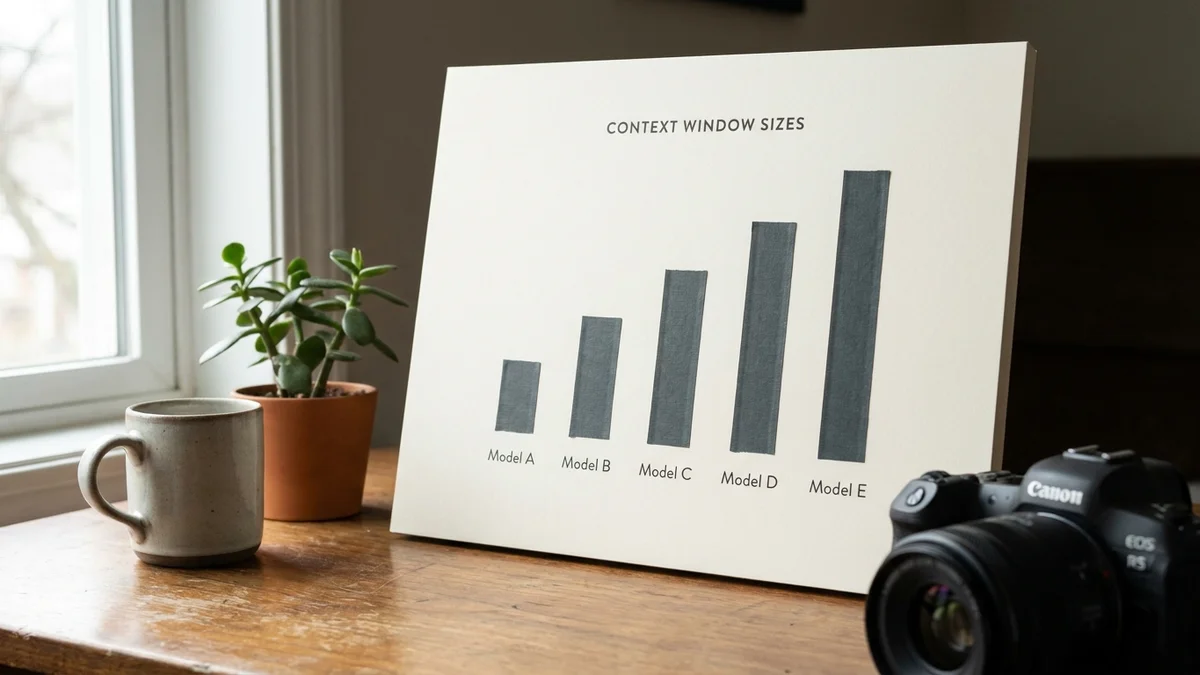
A snapshot of how Llama 4 Maverick stacks up against the usual suspects on context window and (where known) pricing:
| Model | Context | Input $/M | Output $/M |
|---|---|---|---|
| Llama 4 Maverick (Meta API) | 1,000,000 | — | — |
| GPT-4o (OpenAI) | 128,000 | $2.50 | $10.00 |
| Claude Opus 4.6 (Anthropic) | 200,000 | $5.00 | $25.00 |
| Gemini 2.5 Pro (Google) | 1,000,000 | $1.25 | $10.00 |
| Mistral Large 2 (Mistral) | 128,000 | $2.00 | $6.00 |
For most chat and document workloads, Llama 4 Maverick is the value pick of the table. Meta's Llama API is in early access, so per-token pricing for Llama 4 Maverick is not yet broadly published — always confirm current rates in the official Llama API documentation before architecting around a number.
You now have a working chatbot in under 30 minutes. Where to go from here:
The Llama API is one of the cheapest paths to production-grade LLM features as of early 2026. And because the endpoint is OpenAI-compatible, switching providers later is roughly a two-line change. That kind of optionality is rare in this market right now, and it's reason enough to prototype here first.
Sources
Meta's Llama API is paid and metered per token, similar to OpenAI's pricing model. New accounts typically receive a small credit allowance for evaluation, but production usage requires adding billing. If you need a free path, run Llama models locally with llama.cpp or use a free-tier provider like Together AI or Groq with rate limits.
Yes. Because the Llama API endpoint is OpenAI-compatible, the official OpenAI JavaScript SDK works by changing the baseURL to https://api.llama.com/v1 and your apiKey to your Llama key. The same pattern works for the LangChain ChatOpenAI class, LlamaIndex, and most other libraries that wrap the OpenAI protocol.
Default tiers typically start at a few thousand tokens per minute and scale up as your account ages and spend grows. Meta does not publish a single fixed number because limits vary by model and account tier. If you hit 429 errors during normal use, request a tier upgrade in the dashboard or implement exponential backoff in your client.
Yes, Llama 4 Maverick supports function calling using the same tools parameter format as OpenAI's chat completions API. You pass an array of tool definitions, and the model returns structured tool_call objects when it decides to invoke one. Run the call, append the result to messages, and call the API again to get the final response.
Wrap the chatbot loop in FastAPI or Flask, deploy to a host like Railway, Fly.io, or Vercel for a Next.js frontend, and store your API key as a server-side environment variable, never in client code. Add request logging, rate limiting per user, and conversation truncation to keep token costs predictable as your user base grows.