10 DeepSeek V4 Pro Tricks Power Users Actually Use | AI Bytes
0% read
10 DeepSeek V4 Pro Tricks Power Users Actually Use
Tutorials
10 DeepSeek V4 Pro Tricks Power Users Actually Use
DeepSeek soft-retired V4 Pro and then walked it back, but the model is still one of the best value picks in the API tier. These 10 lesser-known tips squeeze real value out of it.
September 15, 2026
8 min read
40 views
DeepSeek soft-retired V4 Pro earlier this year, and while the model was briefly on the chopping block, DeepSeek has since announced it will keep providing API services for V4 Pro after September 14, 2026 in response to user demand. Either way, that's the perfect nudge to squeeze every last drop out of a model that punches well above its price tier. There are a bunch of workflow shortcuts most casual users never touch. A r/LocalLLaMA thread originally flagged the quiet deprecation, which lit a small fire under the power-user community to document what actually works.
So let's get into the practical stuff. These are the DeepSeek V4 Pro tips that regular users skip past, the ones that turn a decent chat model into a genuine daily driver. No filler, no vibes, just the ten workflows worth knowing.
What You'll Get From This Guide
A short answer for the featured snippet crowd: the best DeepSeek V4 Pro tips involve using the raw system prompt slot, enabling JSON mode for structured outputs, using the built-in thinking mode for hard reasoning, and caching long context windows to cut token costs by well over 90%. Most users never touch these levers.
By the end of this tutorial you'll know how to:
Configure the model for structured code output
Use prompt caching to slash your bill
Trigger the reasoning (thinking) mode reliably
Handle the 1M context without truncation surprises
Plan a migration off V4 Pro if the retirement clock restarts
Basic familiarity with the OpenAI SDK (DeepSeek uses a compatible interface). If you're new to DeepSeek's API stack, walk through the DeepSeek V4 Pro local setup guide first.
A few dollars of API credit (V4 Pro is cheap, but not free)
One quick note: "soft retired" means the model was flagged for deprecation earlier in 2026 but is still fully accessible via the API. Per the current DeepSeek pricing page, the model string is deepseek-v4-pro (which routes to DeepSeek-V4-Pro-0813).
Tip 1: Set the System Prompt to Empty for Raw Behavior
This one is counterintuitive. DeepSeek V4 Pro applies a hidden default system prompt when you leave the field blank in the web UI, but the API respects an explicitly empty string. And that unlocks noticeably more direct responses without the standard hedging.
You'll get tighter, less padded output. Not gonna lie, this one alone changed how I use the model.
Tip 2: Force Structured Output With JSON Mode
DeepSeek V4 Pro supports strict JSON mode, but you have to enable it AND tell the model in the prompt to respond in JSON. Miss either half and you'll get plain text.
Python
response = client.chat.completions.create(
    model="deepseek-v4-pro",
    response_format={"type": "json_object"},
    messages=[
        {"role": "system", "content": "You output valid JSON only."},
        {"role": "user", "content": "List 3 Python web frameworks with pros and cons as JSON."}
    ]
)
The schema-following is pretty solid. Not Claude or OpenAI tier for deeply nested structures, but for flat objects and simple arrays it's reliable enough for production ingestion pipelines.
Tip 3: Use Prompt Caching Aggressively
Here's the money-saver. DeepSeek's context caching automatically kicks in when a prefix repeats across requests, and per the current pricing page cache-hit input tokens cost roughly 3% of cache-miss tokens ($0.022 vs $0.66 per 1M off-peak). If you're running a RAG pipeline where the system prompt plus retrieved chunks is 5,000+ tokens, put the stable parts first.
The order matters:
System prompt (stable, always cached)
Retrieved documents (stable within a session)
Few-shot examples (stable)
The dynamic user question (never cached, but small)
This structure is the difference between a 30 cent chat and a 1 cent chat. Check the DeepSeek billing dashboard to confirm cache hits after your first few calls.
Tip 4: Use Thinking Mode for Hard Reasoning Steps
DeepSeek unified its old separate reasoner endpoint into a "thinking mode" toggle on V4 Pro (and Flash). A useful pattern: enable thinking mode for the hard planning question, then run the individual execution steps with thinking disabled to save output tokens on the easy parts.
Python
# Step 1: thinking mode plans
plan = client.chat.completions.create(
    model="deepseek-v4-pro",
    messages=[{"role": "user", "content": "Plan a migration from Postgres to Aurora."}],
    reasoning_effort="high",
    extra_body={"thinking": {"type": "enabled"}}
).choices[0].message.content

# Step 2: thinking disabled to execute each step cheaply
for step in extract_steps(plan):
    result = client.chat.completions.create(
        model="deepseek-v4-pro",
        messages=[{"role": "user", "content": f"Write the SQL for: {step}"}],
        extra_body={"thinking": {"type": "disabled"}}
    )
This split-brain pattern is common with the Aider community too, where the same trick works with paired local models.
Tip 5: Set Temperature Per Task, Not Per Session
Most people leave temperature at the default 1.0. That's wrong for code and wrong for extraction. DeepSeek's own recommended temperature table gives you sensible defaults:
Task
Recommended Temp
Coding / Math
0.0
Data Cleaning / Data Analysis
1.0
General Conversation
1.3
Translation
1.3
Creative Writing / Poetry
1.5
Set it explicitly on every request. And if you're doing structured extraction with JSON mode, always drop temp to 0. Consistency matters more than creativity when you're parsing outputs downstream. Note: temperature has no effect in thinking mode, so disable thinking if you need deterministic output.
Tip 6: Handle the 1M Context Without Silent Truncation
DeepSeek V4 Pro advertises a 1M token context window, but requests near that limit can silently truncate the middle of your input if you don't manage them. So count tokens before sending.
Python
import tiktoken

enc = tiktoken.get_encoding("cl100k_base")
token_count = len(enc.encode(long_document))

if token_count > 950_000:
    # Chunk before sending, don't hope for the best
    chunks = split_semantic(long_document, max_tokens=800_000)
The cl100k_base tokenizer isn't a perfect match for DeepSeek's actual tokenizer, but it gets you within ~10%, which is close enough for buffer planning. The official tokenizer has more precise numbers if you need them.
Tip 7: Use logprobs for Confidence Scoring
One of the least-used features. V4 Pro returns logprobs when you ask for them, letting you score confidence on classification tasks.
Python
response = client.chat.completions.create(
    model="deepseek-v4-pro",
    messages=[{"role": "user", "content": "Is this spam? Yes or No.\n\n" + text}],
    logprobs=True,
    top_logprobs=5
)
Inspect the top logprob for the Yes/No token to get an implicit probability. Way more useful than asking the model "how confident are you" and getting a made-up percentage back.
Tip 8: Stream Everything, Even Short Responses
Streaming isn't just for long output. For any interactive UI, streaming reduces perceived latency dramatically, and DeepSeek's TTFT (time to first token) on V4 Pro is one of its strongest properties.
Even for a two-sentence reply, streaming lets the UI paint the first tokens as soon as they land. Big UX win for basically zero code.
Tip 9: Combine Function Calling With Small Tool Sets
V4 Pro's function calling works but degrades noticeably when you throw a large tool schema at it in one request. So keep tool sets small and route to specialized handlers.
A pattern that works well: use a first cheap call to classify the intent, then a second call with only the 2-3 relevant tools loaded. Anecdotal reports from the r/LocalLLaMA sub suggest this two-step routing can meaningfully improve tool-call accuracy for busy schemas, though exact numbers vary by workflow.
Tip 10: Plan Your Migration Off V4 Pro Now
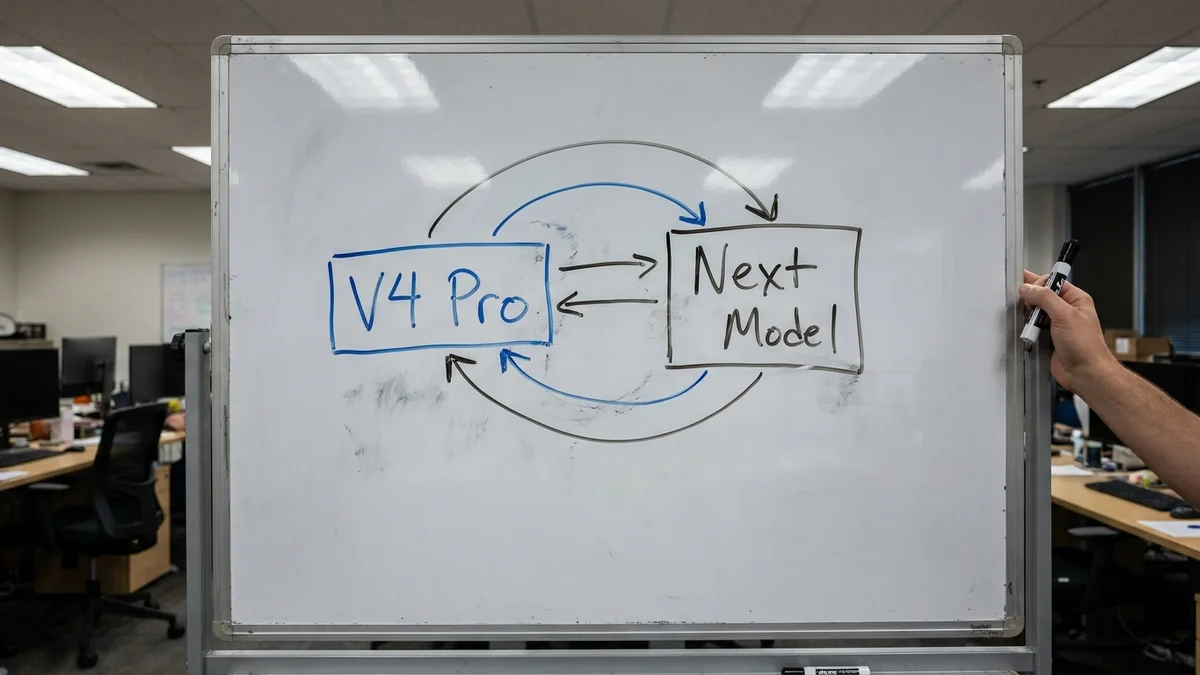
Even though DeepSeek has extended V4 Pro's API availability, the earlier soft-retirement notice was a warning shot. The DeepSeek team can revive the deprecation cycle at any time, and the current successor path leans on the DeepSeek Flash model and thinking mode. Practical advice:
Log every request/response pair so you have a regression test suite
Wrap your API calls in an abstraction layer today (LiteLLM or your own thin client)
Budget one sprint for the migration when a firm deprecation notice drops
Test the successor model on your top 20 prompts before switching production
Don't wait for the shutdown email. Migration hurts less when it's proactive.
Common Pitfalls to Avoid
A few things that will burn you if you're not paying attention:
Assuming JSON mode guarantees your schema. It guarantees valid JSON, not your specific shape. Always validate with pydantic or zod on the way out.
Forgetting that cached tokens still count toward your context limit. Cache reduces cost, not tokens.
Using the wrong base URL.api.deepseek.com and api.deepseek.com/v1 behave slightly differently depending on the SDK version.
Ignoring rate limits. V4 Pro has a lower concurrency limit than Flash, so heavy workloads can throttle.
Testing Your Setup
Before rolling any of these tips into production, run a sanity check:
Python
tests = [
    ("empty system prompt", {"role": "system", "content": ""}),
    ("json mode", {"response_format": {"type": "json_object"}}),
    ("logprobs", {"logprobs": True, "top_logprobs": 3}),
]

for name, config in tests:
    try:
        r = client.chat.completions.create(
            model="deepseek-v4-pro",
            messages=[{"role": "user", "content": "ping"}],
            **config if isinstance(config, dict) else {}
        )
        print(f"{name}: OK")
    except Exception as e:
        print(f"{name}: FAILED - {e}")
If any of those fail with a 404 or "model not found", your account may not have V4 Pro access enabled. Contact DeepSeek support if the model was previously working for you.
Next Steps
Once you've got these tips wired into your workflow, the next natural progression is comparing V4 Pro against DeepSeek Flash. Our DeepSeek V4-Pro review covers the reasoning benchmarks in more depth if you want context on where the model stands against Claude and GPT. Look at DeepSeek's model list for current pricing, and cross-check performance on your own eval set rather than trusting public benchmarks. Public numbers on Papers with Code are useful directional signals, but your prompts are what matters.
And if V4 Pro gets flagged for retirement again, don't panic. Thinking mode is now built into both V4 Pro and Flash, so the reasoning-then-execute chain from Tip 4 will still work on whatever survives.
How long until DeepSeek V4 Pro is fully removed from the API?
DeepSeek initially flagged V4 Pro for retirement but has since announced it will keep providing V4 Pro API services after September 14, 2026, with unchanged billing. There is still no firm sunset date, so the safe assumption is that a future deprecation notice could revive the timeline. If you rely on V4 Pro in production, contact DeepSeek support to confirm your specific situation.
Does DeepSeek V4 Pro support vision or image inputs?
No, V4 Pro is a text-only model per DeepSeek's official pricing page. For image inputs on DeepSeek's stack, use the deepseek-flash model, which is listed as supporting Vision in the current documentation. If your use case requires image understanding, route those requests to Flash while keeping V4 Pro for text.
Can I run DeepSeek V4 Pro locally on my own hardware?
DeepSeek has open-weighted some V-series models on HuggingFace, but running a full-precision V4 Pro-class checkpoint at reasonable throughput requires substantial multi-GPU VRAM, typically a cluster of H100-class accelerators. For most solo developers, the API remains cheaper than the electricity bill for local hosting.
What's the recommended replacement model if V4 Pro is eventually retired?
DeepSeek's current lineup pairs V4 Pro with deepseek-flash (backed by DeepSeek-V4.1-Flash), which is the natural cost-tier successor. Test your workflows on Flash before migrating, since prompt behavior and token counts can shift between versions. Log request/response pairs now so you have a regression suite ready.
Does prompt caching work across different API keys on the same account?
DeepSeek's context cache scoping is documented per API key rather than per account, so multiple services hitting the same base prompt from different keys will each pay their own cold cache. Either consolidate them to one key or accept the duplicate first-request cost. This is different from Anthropic's caching model, which some teams get wrong when migrating.