Google Translate Gets 3 Smart AI Buttons You'll Actually Use | AI Bytes
0% read
Google Translate Gets 3 Smart AI Buttons You'll Actually Use
AI News
Google Translate Gets 3 Smart AI Buttons You'll Actually Use
Google Translate now offers alternative translations, an "understand" button for context, and an "ask" button for follow-ups — all powered by Gemini AI. Here's what changes for the 1 billion+ people who rely on it.
March 28, 2026
6 min read
507 views
Google Translate Just Got Its Biggest Brain Upgrade Yet
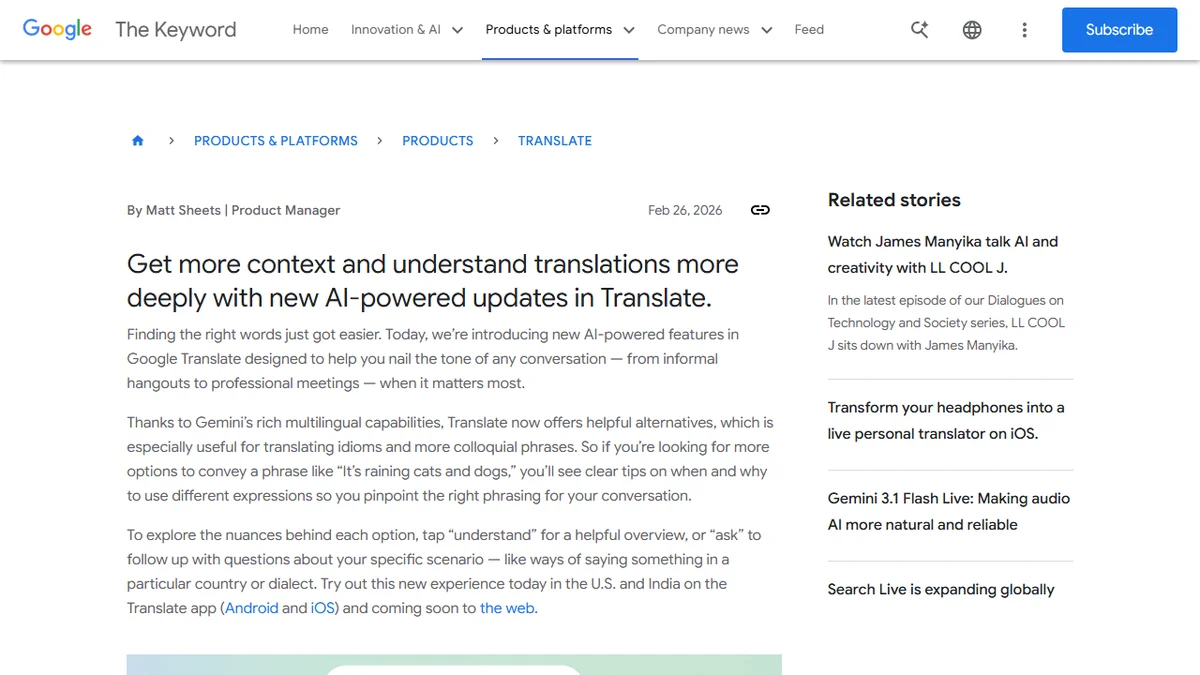
For a tool that over a billion people use, Google Translate has stayed remarkably unchanged for years. You type something in, you get one translation out. Done. But on February 26, 2026, Google shipped an AI update that fundamentally changes how Translate works — and it's powered by Gemini.
This Google Translate AI update introduces three new features — alternative translations, an "understand" button, and an "ask" button — turn Google Translate from a one-shot dictionary into something closer to a language tutor. And honestly? It's about time.
What Are the New AI Features in Google Translate?
Google Translate's new AI features include three Gemini-powered additions: an alternatives view that shows multiple translation options with usage guidance, an "understand" button that explains tone and context differences between options, and an "ask" button that lets you refine translations with follow-up questions.
The biggest change is that Translate now surfaces multiple translation options instead of just one. This is a pretty big deal for anyone who's ever stared at a single translation and thought, "Is that really what I mean?"
Take the classic example Google themselves used: "It's raining cats and dogs." Previously, you'd get one equivalent in your target language. Now, you'll see several alternatives with clear tips on when and why to use each expression. One might be the literal equivalent idiom, another a more casual phrasing, and a third something better suited for formal writing.
This matters most for idioms, slang, and colloquial language — exactly the stuff that trips up traditional machine translation.
Understand: The Context You've Always Wanted
Tap the "understand" button and Gemini generates a helpful overview of the translation options. It breaks down:
Whether a phrase is formal or informal
If it's better for professional or casual settings
Regional differences in how the phrase lands
Who the intended audience should be
Google Translate is no longer just telling you what to say — it's telling you when and where to say it.
So if you're translating something for a business email versus a text to a friend, you'll actually know which option fits. This is the kind of contextual awareness that separated human translators from machine ones — until now.
Ask: Your Follow-Up Is Finally Welcome
The "ask" button is where things get really interesting. It lets you pose follow-up questions about your translation. Want a more formal version? Ask. Need to know how they'd say it specifically in Mexico versus Spain? Ask. Curious whether the phrase sounds natural in a business meeting? Ask.
This turns the translation experience into a conversation rather than a lookup. It's basically what you'd do if you had a bilingual friend sitting next to you — except this friend is Gemini's multilingual AI and it knows dozens of languages.
Why This Update Actually Matters
Machine translation has been "good enough" for years. You can get the gist of almost anything through Google Translate. But "good enough" falls apart the moment context matters.
Anyone who's tried to write a professional email in a second language, translate marketing copy, or even just text someone in their native language knows the pain. A single flat translation doesn't capture tone, formality, or cultural fit. And that gap has kept professional translators very much in business (rightfully so).
What Google is doing here isn't replacing human translators. It's giving the average user tools that were previously only available through expensive localization services, AI-powered writing tools, or years of language study.
The shift from "here's your answer" to "here are your options, and let me explain them" is exactly where AI translation needed to go.
And the timing makes sense. This update builds on the Gemini-powered translation improvements Google rolled out in December 2025, which focused on raw output quality. Now that the translations themselves are better, adding a layer of explanation and interaction on top is the logical next step.
How It Compares to the Competition
Google isn't the only one thinking about context-aware translation. As of March 28, 2026, ChatGPT already lets you request translations with specific tone, audience, and style adjustments through its conversational interface. DeepL has been pushing quality-focused translation for years. And Apple's built-in translation has gotten steadily better.
But Google has a massive advantage: distribution. Google Translate is already on over a billion devices. These features roll out as an app update — no new app to download, no subscription to buy, no prompt engineering required. You just tap a button.
That said, the initial rollout is limited. As of March 28, 2026, the new features are available on:
Platforms: Android and iOS (web support coming soon)
Markets: United States and India only
No word yet on when additional countries or web support will arrive, which is kind of a bummer for the hundreds of millions of Translate users outside those two markets.
The Gemini Factor
Pay attention here — all three features are powered by Gemini's multilingual capabilities. Google hasn't specified exactly which Gemini model runs under the hood, but the integration makes sense given Google's broader push to embed Gemini across its entire product suite.
What's notable is how Google is using Gemini here. Rather than just swapping in a better translation model (which they already did in December 2025), they're using the model's conversational and reasoning abilities to create an interactive experience. The "ask" button is essentially a constrained Gemini chat focused on translation — and that's a clever product decision.
Gemini isn't just making translations better. It's making the experience of translating better. That's a meaningful difference.
As of March 28, 2026, Google also introduced Nano Banana 2 alongside this update — an image generation model that can translate and localize text within generated images across Gemini app, Google Search, and Lens. So the translation push extends well beyond Translate itself.
What This Means for Language Learners
Here's the angle that isn't getting enough attention: these features are incredibly useful for language learning.
The "understand" button is basically an instant grammar and usage lesson. The alternatives show you vocabulary range. And the "ask" button lets you explore a language the way you'd explore it with a tutor — by asking "but what about..." and "how would you say this if..." questions.
Google hasn't marketed this as a language learning feature (that's what Google's other products are for), but in practice, these tools are more useful for learning than half the dedicated language apps out there. If you're studying a second language, this update is worth paying attention to.
What Comes Next
The limited rollout — US and India only, mobile only — suggests Google is testing before going wide. Expect a broader geographic expansion and web support in the coming months, likely alongside Google I/O 2026.
The bigger question is whether this interactive model becomes the default for all translation tools. If Google proves that users engage with alternatives and follow-up questions (and the data will tell them quickly), every translation service will need to follow suit. DeepL, Apple, Microsoft — they'll all need an answer to the "understand" and "ask" framework.
But for now, if you're in the US or India with an Android or iOS device, update your Google Translate app and try it. Type in an idiom, hit "understand," and ask a follow-up question. You'll wonder how you ever used Translate without it.
Is the Google Translate AI update available on desktop?
Not yet. As of March 2026, the new alternatives, understand, and ask features are only available on the Google Translate mobile app for Android and iOS. Google has confirmed web support is 'coming soon' but hasn't given a specific date. If you need these features now, use the mobile app.
Which languages support Google Translate's new understand and ask buttons?
Google hasn't published a specific list of supported languages for the new features. The update runs on Gemini's multilingual AI, which supports over 100 languages for general tasks, but it's likely that the contextual explanation and ask features work best with widely-spoken language pairs initially. Google typically expands language support over time.
Does the Google Translate AI update cost anything extra?
No. The new alternatives, understand, and ask features are free and included in the standard Google Translate app. There's no premium tier or subscription required. Just update your Google Translate app to the latest version to access them (available in the US and India as of March 2026).
How does Google Translate's AI update compare to using ChatGPT for translations?
Google Translate's update is more streamlined — you tap a button and get contextual alternatives without writing prompts. ChatGPT offers more flexibility since you can specify tone, audience, and format in natural language, but it requires more effort. Google Translate wins on speed and accessibility; ChatGPT wins on customization depth. For quick translations with context, Translate is now much closer to what ChatGPT offers.
Can I use Google Translate's ask button for dialect-specific translations?
Yes, this is one of the primary use cases Google highlighted. You can ask follow-up questions like 'How would this sound in Mexican Spanish versus Castilian Spanish?' or 'Is this phrasing natural in Brazilian Portuguese?' The ask button is designed to handle exactly these regional and dialect-specific questions through Gemini's conversational AI.