Best Of
9 Best AI Tools for Data Analysis (No Code, 2026)
Ranked picks for analysts who'd rather upload a CSV than write Python. Real strengths, honest weaknesses, and which tool fits your workflow in 2026.
May 1, 2026
Ranked picks for analysts who'd rather upload a CSV than write Python. Real strengths, honest weaknesses, and which tool fits your workflow in 2026.

Spreadsheets used to take hours. Now you drop a CSV into a chat box and walk away with a chart. That shift is the whole pitch behind the new generation of AI tools for data analysis no coding required, and the category got noticeably more useful in the last twelve months.
But not every tool deserves your monthly subscription. Some are wrappers around GPT-4o with a file upload button. Others are genuinely good at cleaning messy data, building visualizations, and explaining what the numbers mean. This ranking sorts the signal from the noise, based on official documentation, public benchmarks, and the actual capabilities each platform ships in May 2026.
If you're an analyst, marketer, ops lead, or founder who never learned pandas (or learned it and still hates it), this list is for you.
| Rank | Tool | Best For | Free Tier |
|---|---|---|---|
| 1 | Claude | Deep statistical reasoning on uploaded files | No |
| 2 | Julius AI | Pure data analyst workflow with charts | Yes |
| 3 | ChatGPT (Advanced Data Analysis) | All-purpose analysis with code execution | No |
Claude takes the top slot because of raw analytical horsepower. Julius wins for people who want a dedicated data tool, not a general assistant. ChatGPT lands third because Advanced Data Analysis is still excellent, just no longer the obvious default.
This isn't a vibes-based list. The ranking weighs four things:
No affiliate links, no sponsored placements. Just opinions backed by capability data.
Claude is the strongest analytical brain you can talk to right now. Not close.

Anthropic’s reported benchmarks show Opus 4.6 (and the more recent Opus 4.7) at the top of the field on MMLU and GPQA Diamond, alongside frontier models from OpenAI and Google. For data analysis specifically, that translates into something concrete: Claude is unusually good at noticing when your data is weird before it gives you an answer.
Upload a messy quarterly sales export and Claude will flag duplicate rows, mismatched currency formats, and timezone drift in your timestamps. GPT-4o often charges ahead and gives you a confident wrong answer. Claude tends to ask first.
Claude Pro runs $20/month. The API uses Opus 4.6 at $5 input / $25 output per million tokens (per current Anthropic pricing as of early 2026). No persistent free tier for serious file work.
Analysts working on ambiguous problems where wrong answers are expensive. Financial modeling, research synthesis, anything where "sounds plausible" isn't good enough.
Visualizations are functional, not gorgeous. And the consumer Claude.ai interface is less polished than ChatGPT's, which still trips people up.
Julius is what you get when someone builds an AI tool specifically for data work, instead of bolting data features onto a chatbot.
You upload a file, ask a question, and Julius runs Python under the hood, returns a chart, and explains the result in plain English. The whole experience is shaped around the analyst's workflow: data preview on one side, conversation on the other, generated visualizations inline.
It's not running a more capable model than ChatGPT or Claude. (Julius routes between leading GPT and Claude models under the hood depending on your plan.) But the surface area is built for analysis, and that matters more than people think.
Free tier with limited messages. Essential is $20/month. Pro is $45/month for unlimited usage and larger files.
Marketers, ops people, and analysts who do this work daily and want a dedicated tool, not a general AI that happens to read CSVs.
ChatGPT was the first mainstream tool to do this well. Advanced Data Analysis (formerly Code Interpreter) is genuinely powerful: it writes Python, runs it in a sandbox, and shows you the chart.
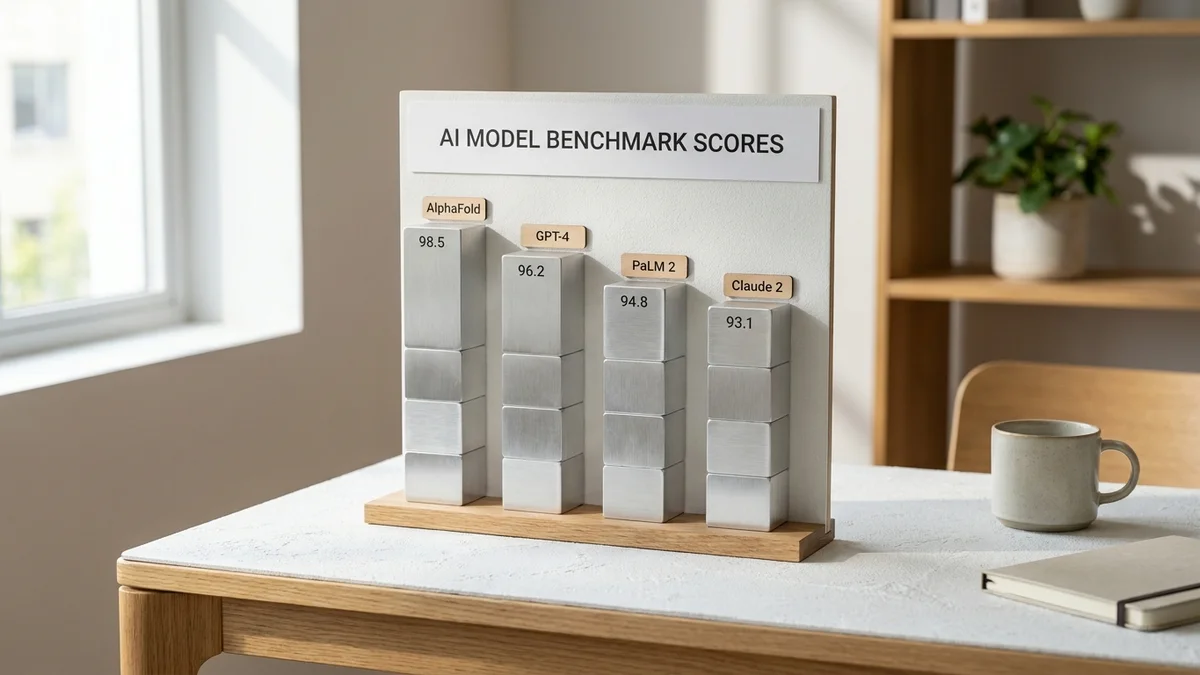
GPT-4o still posts strong scores on MMLU and the LMSYS Chatbot Arena, and OpenAI’s flagship GPT-5 with its integrated reasoning modes is genuinely strong on complex multi-step problems. So why isn't it #1?
Because Claude pulls ahead on careful analytical reasoning, and Julius beats it on workflow ergonomics. ChatGPT remains the best generalist, and that's still really useful, just no longer the unambiguous winner.
ChatGPT Plus is $20/month. Team plans run $25/seat/month.
If you only buy one AI subscription and use it across writing, coding, and data work, ChatGPT is the reasonable default.
If your data already lives in Excel, this is the lowest friction option in 2026. Pull up a sheet, hit the Copilot button, and ask for a pivot, a forecast, or an anomaly explanation in natural language.
Microsoft Copilot in Excel runs on OpenAI's frontier models with Microsoft's grounding layer for spreadsheet context. It's not as analytically sharp as Claude, but it has something the others don't: native access to your actual workbook.
Copilot Pro is $20/month for individuals. The Microsoft 365 Copilot business tier is $30/seat/month.
Finance, FP&A, and ops teams already heavily invested in Excel. The integration is the moat.
Google's flagship Gemini Pro offers a multi-million-token context window, which is genuinely useful when you're cramming in years of historical data. It posts class-leading benchmark scores and integrates directly with Sheets, Drive, and Gmail.
The Sheets integration is the killer feature. Highlight a range, ask a question, and Gemini operates on your actual data without you needing to copy-paste anything. Pretty solid for collaborative analysis when your team already lives in Google Workspace.
Free with limits. Gemini Advanced is $20/month and bundles with Google One AI Premium.
Google Workspace shops. The seamlessness with Sheets is the reason to pick this over ChatGPT.
NotebookLM isn't a traditional data tool. It's a research notebook that can ingest PDFs, websites, and Google Docs, and answer questions across all of them. But for any analyst who's ever had to synthesize a quarterly earnings call, a 200-page PDF report, and a competitor's whitepaper, this is the move.

The audio overview feature (Google's podcast generator) is gimmicky but genuinely useful for absorbing dense reports during a commute. And not gonna lie, the citation behavior is the cleanest in the category.
NotebookLM Plus is included with Google Workspace business plans or $20/month standalone.
Research analysts, strategy consultants, and anyone whose "data" is mostly unstructured text and PDFs.
Perplexity isn't strictly a data analysis tool. It's an AI search engine. But the reason it earns a spot here is simple: most analysis questions start with "what's happening in the market", and Perplexity is the best tool for that with cited sources.
For pulling current stats, recent benchmarks, competitor pricing, and industry data into your analysis, Perplexity is faster than any general chatbot. Pair it with Claude or Julius for the heavy lifting and you have a strong workflow.
Free. Pro is $20/month for unlimited Pro Search and access to top models.
Market research, competitive analysis, and any work where current external data matters.
Finishing the analysis is one thing. Presenting it without spending three hours in PowerPoint is another. Gamma takes a markdown brief or a topic prompt and outputs a presentation that doesn't look like garbage.
It won't run statistical tests for you. But for analysts who spend half their week packaging insights for executives, Gamma cuts the boring part of the job significantly.
Free with watermark. Plus is $10/month. Pro is $20/month.
The last mile of analysis: getting insights into a deck without losing your evening.
Canva's Magic Studio added genuinely useful data tools recently. Magic Insights can take a CSV and produce styled, designed charts that look more like editorial graphics than spreadsheet defaults. For external-facing analysis (marketing reports, investor updates, public dashboards), this is the most painless path.
Free tier is generous. Canva Pro is $14.99/month. Teams plans start at $30/month for the first 5 users.
Marketing analysts and content teams who need their charts to look as good as they read.
The practical answer depends on where your data lives.
If it's in Excel, get Microsoft Copilot. If it's in Sheets, get Gemini Advanced. If it's spread across CSVs and your team doesn't care about Office or Google integration, Julius AI or Claude is the better answer. If you only want one tool and you do a lot of varied work, ChatGPT is still the most flexible single subscription.
For pure analytical depth on hard problems, Claude is the pick. The reasoning gap on tasks like spotting data quality issues or interpreting ambiguous distributions is real, and benchmarks like GPQA Diamond back that up.
And one underrated combo: Perplexity for context, Claude or Julius for analysis, Gamma for the deck. That's a full workflow for under $50/month, and it covers most of what an internal analyst actually does in a week.
Be honest with yourself before subscribing. AI data tools are excellent at exploratory analysis and explanation. They're not yet replacements for:
Know what you're buying. The category is excellent for the work that used to take an analyst three hours in Excel. It's not yet a BI replacement.
Sources
Native connections are still limited in 2026. Julius AI offers BigQuery and Snowflake integrations on its Pro plan. Gemini connects to BigQuery through Google Workspace. Claude and ChatGPT generally require you to export a CSV or use a third-party connector like Hex or MotherDuck. For production warehouse work, expect to do more setup than the marketing copy suggests.
ChatGPT Plus accepts files up to 512MB but practical analysis usually breaks past 50-100MB. Claude Pro caps single files around 30MB but handles multiple at once. Julius AI Pro tier supports files up to 1GB. Gemini's multi-million-token context is huge for text but file size limits in the UI are still around 100MB. For genuinely large datasets, sample first or move to a connected database.
Enterprise tiers (Claude Enterprise, ChatGPT Enterprise, Microsoft 365 Copilot, Gemini for Workspace) commit to not training on your data and offer SOC 2 compliance. Consumer tiers vary: ChatGPT Plus and Claude Pro do not train on your inputs by default, but check current settings. For regulated industries, only use enterprise plans with signed BAAs or DPAs.
No. All ranked tools here are cloud-based and require internet connectivity. If offline analysis is a hard requirement, you'd run a local model like Llama or DeepSeek through LM Studio or Ollama and pair it with a tool like CSV Chat. The quality gap versus frontier hosted models like Claude and GPT is still significant in 2026, but the local option exists.
Julius AI's free tier gives you a usable taste with daily message limits. Gemini's free tier (running on 2.0 Flash) handles surprisingly serious analysis on smaller files. Perplexity's free tier is excellent for research. Combining free Julius and free Gemini gets most analysts further than expected without paying anything.