Best Of
15 Best Free AI Tools to Try in 2026 (Honest Ranking)
An honest, ranked list of 15 free AI tools actually worth using in 2026, from DeepSeek to Cursor to Suno. No affiliate spam, no fake free tiers.
May 13, 2026
An honest, ranked list of 15 free AI tools actually worth using in 2026, from DeepSeek to Cursor to Suno. No affiliate spam, no fake free tiers.
Free AI tools used to be junk. That changed completely in 2026.
Now you can run open-source models that score within points of Claude Opus on MMLU, generate photo-real images at home, and write production code with a CLI agent that costs zero dollars. The catch? Sorting through hundreds of "free" tools where the free tier is basically a demo is exhausting.
So this is the ranked list of 15 free AI tools actually worth your time in 2026, based on official benchmarks, public pricing pages, and reputation in developer and creator communities. Not affiliate spam. No tool ranked higher because of paid placement.

| Rank | Tool | Best for |
|---|---|---|
| 1 | DeepSeek | Free LLM reasoning that rivals paid models |
| 2 | Gemini | Daily assistant with 2M token context |
| 3 | Cursor | Coding (the free tier is genuinely usable) |
The rest of the list breaks down by category below. And if you only have time to try three, start there.
DeepSeek's open-source releases were the biggest story in AI through late 2025 and into 2026. DeepSeek's own benchmark numbers for R1 report 90.8% on MMLU and 49.2% on SWE-bench Verified (self-reported, see the DeepSeek-R1 model card), which puts it within striking distance of frontier paid models while being completely free to download and run.
Pricing: Free (open weights) or pennies per million tokens via hosted API. Best for: Reasoning, coding, math tasks where you'd otherwise pay for a frontier model. Where to get it: chat.deepseek.com or self-host the weights from Hugging Face.
The web chat is also free with no rate limits I've hit in normal use. Not gonna lie, the first time you watch DeepSeek R1 think through a hard math problem step by step and arrive at the right answer, it feels like cheating.
Gemini 2.5 Pro carries up to a 2,000,000 token context window, and Google's current flagship Gemini 3.1 Pro keeps pushing that ceiling. That's not a typo. You can drop entire codebases or full PDFs into it and ask questions across the whole thing.
Pricing: Free tier with daily message limits; Pro at $20/month removes them. Best for: Long-document analysis, Gmail and Docs integration, multimodal tasks.
The free tier got a serious upgrade through 2025 and into 2026. The web chat runs on Gemini's current Flash-tier model with image, video, and audio input, plus a daily quota of Pro-tier requests. For most people, the free plan covers daily use without ever hitting a wall.
Cursor is the AI code editor most senior engineers actually use. The Hobby (free) plan gives you a limited monthly allowance of completions and slow premium model requests — enough for hobby projects and light side work. The Pro plan at $20/month unlocks the agent mode that's been eating GitHub Copilot's lunch.
Pricing: Free tier; Pro $20/month. Best for: Anyone writing code more than once a week.
According to Cursor's docs, the editor passes your repo context to whichever model you select, so you get Claude or GPT quality without paying those vendors directly. Pretty solid value for free.
xAI's Grok lineup (Grok 3 and the newer Grok 4 family) holds its own on the LMArena Chatbot Arena leaderboard — behind the top Claude and Gemini entries but ahead of plenty of paid competitors. The free tier on X (formerly Twitter) gives you basic Grok access plus real-time data from the platform, which is its killer feature.
Pricing: Free on X with daily limits. Best for: Breaking news queries, trend research, anything requiring live data.
Grok also has fewer guardrails than Claude or Gemini, which some users love and others find chaotic. Use that information however you like.
The most realistic text-to-speech available. Period. ElevenLabs' free tier gives 10,000 characters per month, which is enough for a podcast intro, a few YouTube voiceovers, or a couple of short audiobook samples.
Pricing: Free tier (10K chars/month); paid from $5/month. Best for: Voiceovers, audiobook narration, accessibility.
The voice cloning quality is the part that surprises people. Upload 30 seconds of audio and the output sounds like the same person reading new text. Use this responsibly.
Suno generates complete songs with vocals, instruments, and lyrics from a single prompt. The free plan gives you 50 credits per day, enough for about 10 songs. That sounds modest until you realize each song is two minutes of finished, mixed audio.
Pricing: Free (50 credits/day); paid plans from $10/month. Best for: Songwriters experimenting, marketers needing jingles, anyone who wants to make their cat a theme song.
The output quality jumped massively across the v4 and v4.5 releases in 2024 and 2025. Vocals sound real, mixing is clean, and the model handles weird genre requests gracefully. The free tier is enough to test whether you want to pay.
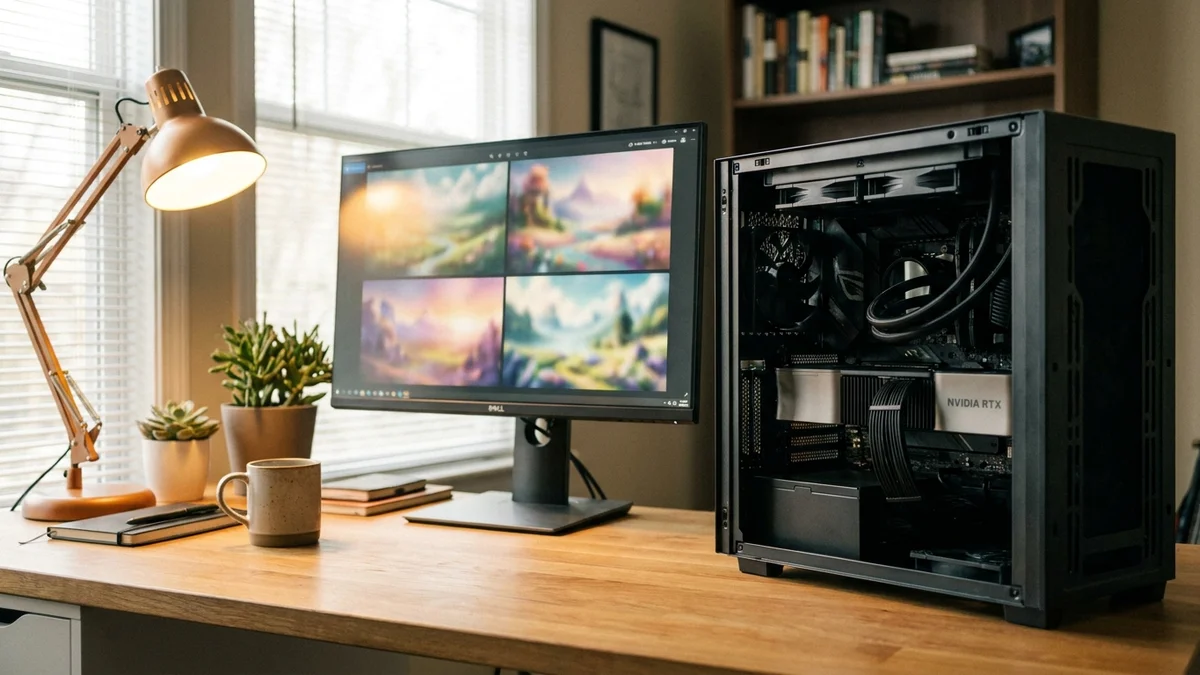
The original open-source image model is still the standard for anyone who wants full control. Run it on your own GPU, fine-tune it on your own data, no monthly fee, no content restrictions beyond what the local installation imposes.
Pricing: Free, fully open source. Best for: Designers who want full control, anyone with a decent GPU.
You'll need around 8GB of VRAM for SDXL and 12GB+ for the newer Flux-tuned variants. Worth the setup time if you generate images regularly.
Black Forest Labs' Flux models are the open-source image generators worth using in 2026. Flux.1 schnell is fully free under an Apache 2.0 license and runs locally. The hosted versions on platforms like fal.ai cost cents per image.
Pricing: Free (open weights for schnell variant). Best for: Photorealism, complex compositions, text rendering inside images.
Flux beats DALL-E 3 on prompt adherence in most community side-by-sides and matches Midjourney on aesthetics, depending on the prompt. The fact that it's free is honestly absurd.
If you've ever generated an image with text and gotten gibberish, Ideogram is the fix. The model is specifically trained to render text correctly inside images, which makes it the go-to for poster designs, memes, and any visual that needs words.
Pricing: Free (25 prompts/day); paid plans from $8/month. Best for: Posters, logos with text, memes, ad creative.
The free tier resets daily, so you can stretch it. And the text rendering quality is genuinely better than what you'll get from DALL-E 3 or Midjourney on most prompts.
Kuaishou's Kling AI gives free users a daily quota for text-to-video generation. The motion quality and character consistency beat Pika and Luma in most public comparisons, and you can get 5 to 10 second clips at 720p without paying.
Pricing: Free with daily credits; paid plans available. Best for: Short social clips, b-roll, concept videos.
Recent Kling versions (the 2.x line that rolled out through 2025) handle human faces and complex motion better than anything else in the free tier. Not Sora, but Sora isn't free, so the comparison isn't really fair.
Perplexity is what Google would look like if it cared about answers more than ads. Every response comes with inline citations to the sources used, and the free tier covers most daily search needs.
Pricing: Free (basic searches); Pro at $20/month for advanced models. Best for: Research, fact-checking, anything where you need to verify sources.
The free version uses a smaller default model. Bump to Pro Search and you get GPT-4 or Claude Sonnet for harder queries. But honestly, for most queries the free tier is enough.
Canva's Magic Studio rolled out across the entire platform through 2025. Magic Write for copy, Magic Design for layouts, Magic Edit for photos. Most features are available on the free plan with monthly credit caps.
Pricing: Free with credit limits; Pro $15/month for unlimited. Best for: Non-designers making social posts, presentations, ads.
The integration is the point. You're not switching between five tools. Generate an image, write the headline, and design the layout in one tab. For small business owners and content creators, this is the tool that replaces three subscriptions.
Aider is the open-source CLI coding agent that's quietly become one of the best AI coding tools, period. It connects to any model you have an API key for (or runs against free local models via Ollama), so the tool itself is free.
Pricing: Free, Apache 2.0 licensed. You pay for the underlying model API. Best for: Developers who live in the terminal, anyone tired of IDE bloat.
According to Aider's leaderboard, pairing Aider with top-tier Claude Opus or DeepSeek reasoning models lands near the top of its code editing benchmark. Free tool. Top scores. The math works.
Cline (formerly Claude Dev) is the open-source agent that runs inside VS Code and executes multi-step coding tasks. It's free to install. You connect your own API key, which means you only pay for the tokens the model uses, not a markup on top.
Pricing: Free extension; bring your own API key. Best for: Developers who want agent-style automation without leaving VS Code.
The agent reads your codebase, plans changes, runs commands, and edits files. The fact that you control the API key means cost is transparent. No surprise $40 bills.
Gamma generates full slide decks from a prompt or outline. The free plan gives you 400 credits to start, plus 50 monthly afterward, which works out to a few decks per month before you hit the wall.
Pricing: Free tier with credits; paid from $10/month. Best for: Pitch decks, internal presentations, lecture slides.
The output beats default PowerPoint templates by a wide margin. And the AI is genuinely useful for restructuring content, not just dropping bullet points onto a slide. Worth trying before you spend three hours fighting with Keynote.
This ranking is based on three signals, weighted in this order:
We didn't rank by hype. Two of the most-talked-about tools from 2025 (Devin and Sora) didn't make the cut because neither has a free tier. Hype doesn't pay the bills.
The pattern across this list is clear: open-source has caught up. DeepSeek, Flux, Stable Diffusion, and Aider would have been worse than every paid competitor two years ago. In 2026, they match or beat them on most tasks.

If you're starting from zero, install DeepSeek's chat, try Cursor's free tier on a hobby project, and play with Suno for an afternoon. That's three tools. Zero dollars. You'll have a clearer sense of what AI can actually do for your work than you will from reading another listicle.
Sources
It depends on the tool's terms. Open-source tools like Stable Diffusion, Flux (schnell), and Aider have permissive licenses that allow commercial use. Hosted free tiers from Suno, Ideogram, and Canva typically restrict commercial use on the free plan and require a paid tier. Always check the specific tool's license or terms page before shipping client work.
For most daily tasks, yes. DeepSeek's free chat covers reasoning and coding at near-frontier quality, and Gemini's free tier handles long documents better than ChatGPT's free plan. The main thing you give up is access to features like Claude's Projects, ChatGPT's GPTs, and image generation inside the same interface. If those workflows matter to you, paid is still worth $20.
For text models like DeepSeek R1 distills, an 8GB VRAM GPU runs smaller variants reasonably well, and 24GB+ unlocks larger ones. For Stable Diffusion XL or Flux, you want at least 12GB VRAM. CPU-only inference works for small models via tools like Ollama but will be slow. A used RTX 3090 (24GB) is still the best price-to-VRAM ratio in 2026.
Many hosted free tiers do use inputs for training by default. DeepSeek's web chat, Google's Gemini free tier, and Grok all train on user conversations unless you opt out in settings. Open-source tools you run locally (Stable Diffusion, Aider against a local model, Cline with a self-hosted endpoint) keep your data on your machine entirely. If privacy matters, prefer the local option.
Gemini's free tier is the most generous among major chat assistants, with daily quotas measured in hundreds of messages rather than a hard monthly cap. For coding, Cline and Aider are effectively unlimited because you bring your own API key. For images, running Stable Diffusion or Flux locally is genuinely unlimited since the only cost is electricity.