Best AI Image Generator in 2026: 3 Tools Compared | AI Bytes
0% read
Best AI Image Generator in 2026: 3 Tools Compared
Comparisons
Best AI Image Generator in 2026: 3 Tools Compared
Midjourney, DALL-E 3, and Stable Diffusion each win at different things. Here's an honest, data-driven breakdown to help you pick the right AI image generator for your actual workflow.
April 2, 2026
10 min read
372 views
Updated April 2, 2026
Which AI art tool actually deserves your money — or your GPU cycles?
That's the question everyone keeps asking as AI image generation gets better by the month. After analyzing each platform's strengths, weaknesses, and pricing, here's the honest breakdown of the best AI image generator options in 2026: Midjourney, DALL-E 3, and Stable Diffusion.
The short answer: Midjourney produces the most beautiful images. DALL-E 3 follows your instructions most accurately. Stable Diffusion gives you the most control. Your pick depends entirely on what you're actually trying to do.
Quick Verdict: Which AI Image Generator Should You Use?
Don't skip this part. Midjourney is the best AI image generator for anyone who wants stunning visuals with minimal effort. It's the iPhone of AI art — opinionated, polished, and it just works. DALL-E 3 is your pick if you need accurate text in images or want tight integration with ChatGPT. And Stable Diffusion? That's the Linux option — free, endlessly customizable, and absolutely worth it if you're willing to learn.
Head-to-Head Comparison Overview
Feature
Midjourney
DALL-E 3
Stable Diffusion
Overall Rating
9/10
7.5/10
8.5/10
Price
From ~$10/month
Free via Bing; $20/month via ChatGPT Plus
Free (open source)
Best For
Artistic and photorealistic images
Text rendering, prompt accuracy
Full control, privacy, customization
Ease of Use
Easy (web and Discord)
Very easy (ChatGPT integration)
Moderate to hard
Open Source
No
No
Yes
Run Locally
No
No
Yes
Text in Images
Decent
Excellent
Poor to decent
Customization
Limited
Limited
Unlimited
Speed
Fast
Fast
Depends on hardware
Content Filters
Strict
Strict
User-controlled
Image Quality: Midjourney Still Leads the Pack
Let's start with what matters most. Image quality.
Midjourney produces images that look like they belong in a magazine editorial spread. The default aesthetic is gorgeous — rich colors, balanced composition, and a certain "vibe" that's hard to describe but instantly recognizable. You can prompt it with five words and get something that looks like a professional photographer spent an hour setting up the shot.
DALL-E 3 has improved significantly, but the outputs still have a slightly... digital quality. They're good. Sometimes great. But side by side with Midjourney, you can usually tell which is which. DALL-E 3 images tend to be flatter, with less natural lighting and depth.
Stable Diffusion is the wild card here. Out of the box, base models produce decent results. But with the right fine-tuned checkpoint (and there are thousands on Civitai), you can match or exceed Midjourney quality. The catch? You need to know what you're doing. Picking the right model, sampler, CFG scale, and negative prompts is its own skill set.
Midjourney optimizes for beauty. DALL-E 3 optimizes for accuracy. Stable Diffusion optimizes for freedom.
Ease of Use: DALL-E 3 Wins for Beginners
DALL-E 3 is the easiest AI image generator to use, period. If you have ChatGPT, you already have it — though since March 2025, ChatGPT's image generation has transitioned to GPT-4o's native capabilities, which builds on DALL-E 3's strengths. Type "draw me a cat wearing a top hat" and you're done. ChatGPT even rewrites your prompt behind the scenes to get better results. It's practically frictionless.
Midjourney started as a Discord-only tool (which was kind of weird, honestly), but it launched a proper web interface in mid-2024 that makes the experience much smoother. You type a prompt, adjust some settings, and hit generate. The learning curve is gentle — though mastering Midjourney's prompt syntax takes real practice.
Stable Diffusion is a different animal entirely. You're installing Python packages, downloading multi-gigabyte model checkpoints, configuring AUTOMATIC1111 or ComfyUI, and troubleshooting CUDA driver errors. For technical users, this is fine. For a marketing manager who just wants a blog header image? It's a non-starter without a hosted solution like Leonardo.ai.
So if you want to generate your first image within 60 seconds of deciding to try AI art, DALL-E 3 through ChatGPT is the obvious starting point.
Text Rendering: DALL-E 3 Crushes the Competition
This one isn't even close, surprisingly.
DALL-E 3 renders text in images better than any other AI image generator available today. Need a poster that says "Grand Opening" with perfectly spelled letters? DALL-E 3 handles it. A book cover with a title and author name? Done. It's remarkably good at understanding where text should go and how it should look.
Midjourney has gotten better at text over successive versions, but it still mangles words regularly. You'll get "GRNAD OPENIGN" more often than you'd like. It's improving with each release, but it's not reliable enough for text-heavy designs.
Stable Diffusion's text rendering depends entirely on which model you're running. Base SDXL struggles badly with text. Some community fine-tunes and newer architectures do better, but you shouldn't pick Stable Diffusion if legible text is a core requirement.
And if text accuracy is truly make-or-break for your workflow, also check out Ideogram, which specializes specifically in accurate text rendering and scores an 8.4/10 in our AI tools ratings.
Customization and Control: Stable Diffusion Is Unmatched
This is where Stable Diffusion absolutely dominates. Nothing else comes close.
With Stable Diffusion, you can:
Train your own LoRA models on specific faces, styles, or objects
Use ControlNet to guide composition with depth maps, edge detection, or pose estimation
Swap entire model architectures and sampling algorithms
Run inpainting and outpainting with pixel-level control
Chain together complex multi-step workflows in ComfyUI
Use IP-Adapter for style transfer without any model training
It's like comparing a professional DSLR camera to a smartphone camera. Both take photos, but one gives you full manual control over every setting. If you're interested in running other AI models locally, check out our guide to the best GGUF models to run locally.
Midjourney offers some controls — aspect ratios, style parameters, chaos values, image weights, and style references — but you're working within their guardrails. You can't train custom models or modify the underlying architecture.
DALL-E 3 gives you the least control of the three. You type a prompt, maybe specify a size and style (vivid vs. natural), and that's about it. OpenAI deliberately limits fine-grained control, partly for safety and partly to keep things simple.
If you want an AI image tool that does exactly what you tell it, down to the pixel — Stable Diffusion is the only real option.
Speed and Output Volume
As of April 2, 2026, Midjourney generates four image variations in roughly 30–60 seconds on its standard plan. Fast mode and turbo mode cut that down further. For most creative workflows, that's plenty fast.
DALL-E 3 through ChatGPT takes about 10–20 seconds per image. Through the API, speed is similar. You're limited on generations per time period depending on your subscription tier, but casual users won't hit the ceiling.
Stable Diffusion's speed depends entirely on your hardware. On a high-end GPU like an RTX 4090, you can generate SDXL images in roughly 8–15 seconds. On a mid-range card, expect 15–30 seconds. On CPU? Go make coffee. The upside is there's no rate limit — you can generate thousands of images back-to-back if your hardware can handle it.
For production workflows where volume matters, Stable Diffusion wins on sheer throughput. But Midjourney's quality-per-second ratio is pretty hard to beat.
Pricing: What You'll Actually Pay
Here's how the costs actually break down.
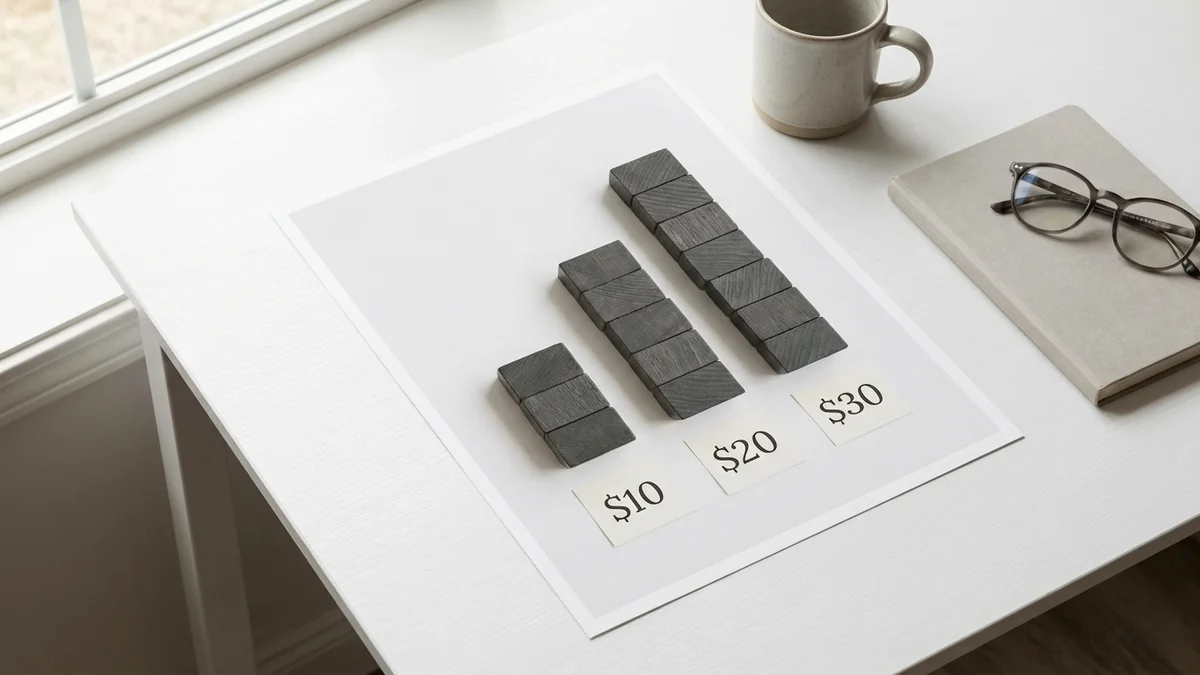
Midjourney runs on a subscription model. As of April 2, 2026, plans start around $10/month for the Basic tier (limited generations), with Standard ($30/month), Pro ($60/month), and Mega (~$120/month) tiers offering progressively more speed and volume. There's no free tier — you have to pay to play. Check midjourney.com for exact current pricing.
DALL-E 3 has the most accessible entry point. You can use it for free through Microsoft's Bing Image Creator (with daily limits). For better access and faster generations, ChatGPT Plus at $20/month includes DALL-E 3 with generous usage. The API charges per image — check OpenAI's pricing page for current rates.
Stable Diffusion is technically free. The models are open source and the weights are downloadable. But "free" comes with asterisks. You need a GPU with at least 8GB VRAM to run SDXL comfortably (12GB or more recommended). If you don't have the hardware, cloud GPU services like RunPod charge by the hour — typically $0.20–$0.80/hour depending on the GPU tier. Still, for heavy users generating hundreds of images weekly, running Stable Diffusion locally is the cheapest option by a wide margin.
Cost Scenario
Midjourney
DALL-E 3
Stable Diffusion
Free option
None
Bing Image Creator
Yes (local install)
Cheapest paid
~$10/month
$20/month (ChatGPT Plus)
Hardware cost or ~$0.20/hr cloud
Best value tier
~$30/month Standard
$20/month ChatGPT Plus
Own a decent GPU
Estimated cost at 1,000 images/month
~$30
~$20
~$5–15 cloud or $0 local
Style Versatility: Three Different Philosophies
Midjourney has a distinct default aesthetic that some people love and others find limiting. It excels at fantasy art, architectural visualization, fashion photography, and anything where "gorgeous" matters more than "accurate." But getting certain styles — hyper-minimalist designs, flat illustrations, or technical diagrams — can be a real struggle.
DALL-E 3 is more of a generalist. It handles cartoons, photorealism, diagrams, and abstract art reasonably well. Good at many things, truly exceptional at few (besides text rendering). Think of it as a reliable all-rounder that won't blow your mind but also won't let you down.
Stable Diffusion's versatility is theoretically unlimited because the community creates specialized models for literally everything. Want anime? There are dozens of models for that. Photorealism? Multiple top-tier options. Architectural renders? Covered. The ecosystem on sites like Civitai is massive. But finding and testing the right model for your particular style takes research and experimentation.
Privacy and Data Ownership
With Midjourney and DALL-E 3, your prompts and images pass through external servers. Both companies have policies about data usage and retention, but you're ultimately trusting them with your creative process. For businesses working on unreleased products, sensitive brand materials, or anything under NDA, that's a legitimate concern. Here's the thing — most companies underestimate this risk.
Stable Diffusion runs entirely on your own hardware. Your prompts never leave your machine. Your generated images are yours, full stop. No terms of service complications. No content policies filtering your output.
So for enterprise users, agencies handling confidential client work, or anyone who cares deeply about data sovereignty — Stable Diffusion is the clear winner in this category.
The Rising Competitors Worth Watching
The AI image generation space has gotten crowded. Flux by Black Forest Labs (rated 8.3/10) offers fast, high-quality open-weight models that are gaining serious traction. Recraft (8.5/10) is purpose-built for designers and produces impressively clean output. And Adobe Firefly (7.5/10) focuses on commercial safety by training exclusively on licensed content — a big deal if you're worried about copyright.
But for now, the big three remain Midjourney, DALL-E 3, and Stable Diffusion. They represent three fundamentally different approaches: beauty, accessibility, and freedom.
When to Choose Each Tool
Pick Midjourney If You Want:
The highest quality images with the least prompt engineering
Magazine-quality aesthetics for marketing, mood boards, or concept art
A polished, opinionated tool that makes creative decisions for you
You don't mind paying $10–$60/month for a subscription
Pick DALL-E 3 If You Want:
Accurate, legible text rendered inside images
The easiest possible workflow with zero setup
Tight integration with ChatGPT for iterative prompting
A casual tool for a few images per week without a big commitment
Pick Stable Diffusion If You Want:
Full control over every parameter of image generation
Total privacy — nothing leaves your machine
The ability to train custom models on your own data
Maximum output volume at the lowest long-term cost
Freedom from content policies and platform restrictions
Final Verdict
Overall winner: Midjourney. For the best AI image generator experience overall, it produces the most consistently stunning images with the least friction. If you can budget ~$30/month and don't need local processing or text rendering, it's the clear top pick.
Best free option: Stable Diffusion. Yes, setup requires technical chops. But the quality ceiling is just as high as Midjourney (sometimes higher with the right fine-tuned models), and you own everything you create.
Best for beginners: DALL-E 3 via ChatGPT. Zero setup, great prompt understanding, and the best text rendering in the business. It's the perfect starting point for anyone new to AI-generated art.
There's no single "best" AI image generator. There's only the best one for your workflow, your budget, and your skill level. Pick accordingly.
Can I use Midjourney images for commercial projects?
Yes, all paid Midjourney subscribers receive commercial usage rights for images they generate. This applies to the Basic plan and above. However, if your company has more than $1 million in annual gross revenue, you need at least the Pro plan. Always check Midjourney's current terms of service for the latest licensing details.
How much VRAM do I need to run Stable Diffusion locally?
For SDXL models, 8GB VRAM is the practical minimum, but 12GB or more is strongly recommended for comfortable generation speeds and higher resolutions. Popular budget options include the RTX 3060 12GB and RTX 4060 Ti 16GB. If you only have 4–6GB VRAM, you can use optimized versions or quantized models, but expect slower speeds and lower resolution limits.
Does Stable Diffusion work on Mac with Apple Silicon?
Yes, Stable Diffusion runs on Apple Silicon Macs (M1, M2, M3, M4 chips) using MPS (Metal Performance Shaders) acceleration. Performance is solid — an M2 Pro can generate SDXL images in roughly 50–80 seconds. Tools like AUTOMATIC1111 and ComfyUI both support macOS. It's slower than a dedicated NVIDIA GPU, but very usable for regular workflows.
Can DALL-E 3 edit or modify existing images?
DALL-E 3 through ChatGPT supports some editing capabilities, including modifying specific regions of a generated image through conversation. However, it's not as precise as Stable Diffusion's inpainting tools or dedicated editors like Photoshop's generative fill. For heavy editing workflows — swapping backgrounds, adjusting specific elements, or batch modifications — Stable Diffusion with ControlNet offers far more control.
Are AI-generated images copyrightable?
As of April 2026, copyright law around AI-generated images remains unsettled in most jurisdictions. In the US, the Copyright Office has generally held that purely AI-generated images without substantial human creative input cannot be copyrighted. However, images where a human artist makes significant creative choices (prompt engineering, extensive editing, compositing) may qualify. Consult a legal professional for your specific use case, especially for commercial projects.