Comparisons
DGX Spark vs Mac Studio M3 Ultra: $10K AI Showdown
Both cost $10K. Both run Qwen3.5 397B locally. But a dual DGX Spark setup and a Mac Studio M3 Ultra 256GB deliver wildly different experiences — here's who wins and why.
March 27, 2026
Both cost $10K. Both run Qwen3.5 397B locally. But a dual DGX Spark setup and a Mac Studio M3 Ultra 256GB deliver wildly different experiences — here's who wins and why.
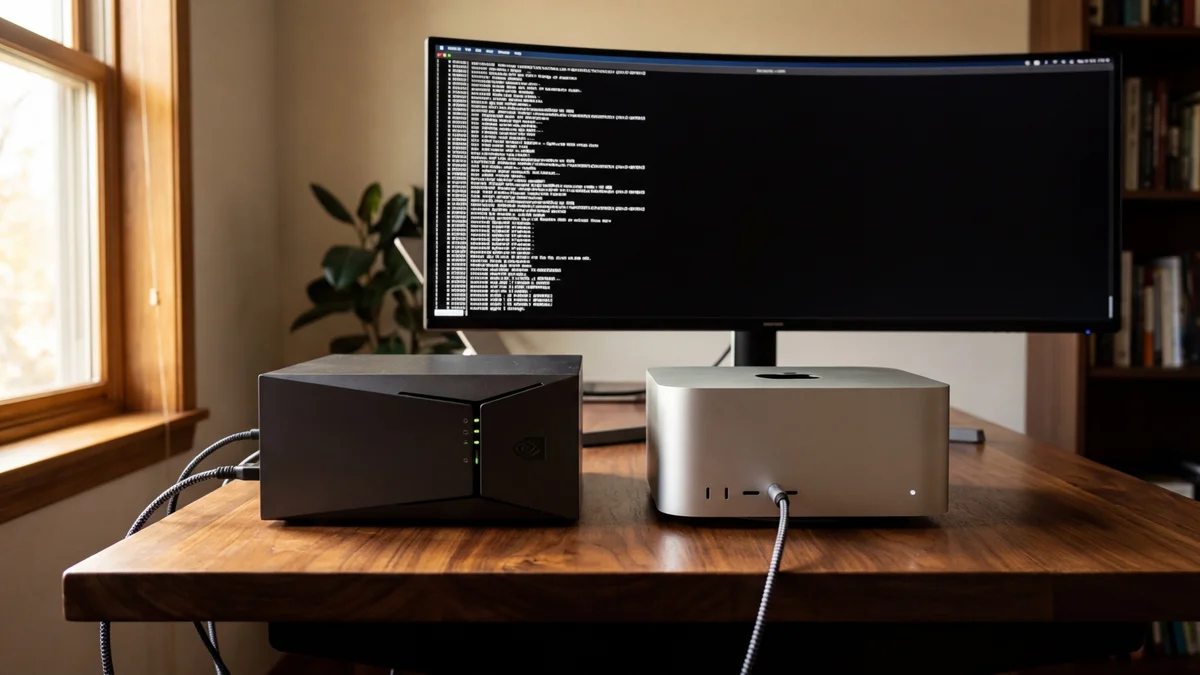
Two machines. Same $10,000 price tag. Same 397-billion-parameter model. Completely different experiences.
A user on r/LocalLLaMA recently posted one of the most detailed DGX Spark vs Mac Studio M3 Ultra comparisons we've seen — running Qwen3.5 397B (a mixture-of-experts model with 397B total parameters and 17B active) on both a dual NVIDIA DGX Spark setup and an Apple Mac Studio M3 Ultra with 256GB of unified memory. The backstory? They were burning through roughly $2,000 per month on Claude API tokens for a personal Slack-based AI assistant. After about 45 days of that cost pain, they went local. Both rigs cost about $10K after taxes. The performance gap between them tells you everything about where AI hardware stands in 2026.
The Mac Studio M3 Ultra 256GB is better for single-user conversational inference — faster token generation and dramatically easier to set up. The dual DGX Spark configuration is better for developers who need fast prefill, batch processing, and the full CUDA/vLLM ecosystem. Neither is a clear overall winner. Your workload decides.
If you just want a personal AI assistant that feels snappy, buy the Mac Studio. If you're building AI tooling and need the open-source GPU ecosystem, buy the Sparks.
| Feature | Mac Studio M3 Ultra 256GB | Dual DGX Spark (2×128GB) |
|---|---|---|
| Total Memory | 256GB unified | 256GB combined (128GB per node) |
| Memory Bandwidth | ~800 GB/s | ~546 GB/s combined (~273 GB/s per node) |
| Quantization Used | MLX 4-bit | INT4 AutoRound |
| Model Size in Memory | ~200GB | ~98GB across both nodes |
| Generation Speed | 30–40 tok/s | 27–28 tok/s |
| Prefill Speed | Slow (30+ seconds on large prompts) | Noticeably faster |
| Tensor Parallelism | N/A (single chip) | vLLM TP=2 |
| Setup Difficulty | Easy | Brutal |
| Approximate Cost | ~$10,000 | ~$10,000 |
| GPU Architecture | Apple Silicon (Neural Engine + GPU) | NVIDIA Grace Blackwell |
That table alone should tell you something important. The Mac Studio loads a much larger quantized model (200GB vs 98GB) because its unified memory architecture avoids the overhead of multi-node partitioning and uses a higher bit-width quantization. But the DGX Sparks make up for their smaller memory pool with raw CUDA compute power. Same price, totally different engineering philosophies.
The MoE architecture of Qwen3.5 397B matters here — only 17B parameters are active per forward pass, which is why these consumer-ish machines can run it at all. You're not actually moving 397B parameters through memory on every token.
Here's what most people get wrong about running large language models locally: generation speed is almost entirely bottlenecked by memory bandwidth, not compute.
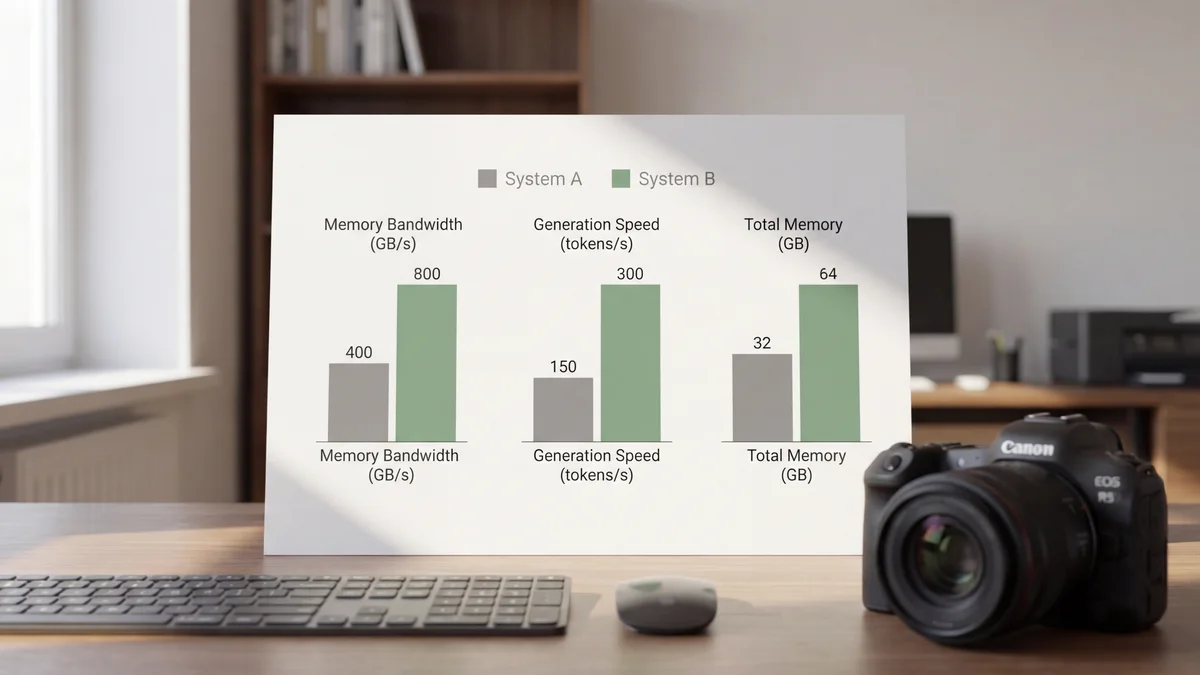
The Mac Studio M3 Ultra pushes roughly 800 GB/s of memory bandwidth through its unified memory architecture. That's what gives it 30–40 tokens per second on Qwen3.5 397B with 4-bit quantization. The dual DGX Sparks, despite running NVIDIA's latest Grace Blackwell silicon, max out at about 273 GB/s per node. Even with tensor parallelism across both nodes, the combined theoretical bandwidth of ~546 GB/s still falls short.
Memory bandwidth is the speed limit for token generation. The Mac Studio simply has a wider highway.
And this bandwidth advantage is exactly why Apple Silicon has become so popular for local inference. You're not buying a Mac Studio for training — you're buying it because that fat memory bus makes autoregressive decoding feel smooth on models that would normally demand a multi-GPU server rack.
But bandwidth isn't everything.
If memory bandwidth is the highway for token generation, compute is the engine for prefill. And here, the DGX Sparks pull ahead decisively.
Prefill — the initial processing of your entire prompt before the model starts generating — is a compute-bound operation. On the Mac Studio, a large system prompt loaded with tool definitions takes 30+ seconds to chew through. That's a long time to stare at a blank screen. The DGX Sparks, with their Blackwell tensor cores and vLLM's optimized CUDA kernels, handle the same prompt significantly faster.
If you're building an AI assistant with a beefy system prompt packed with tool definitions (and who isn't these days?), you're paying that prefill cost every time the context resets. At 30+ seconds per prefill, the Mac Studio starts to feel sluggish in ways that the raw tok/s numbers don't capture.
The DGX Sparks are slower at talking but faster at thinking. Which one matters more depends entirely on your prompt length.
So if your use case involves short prompts and long generated outputs, the Mac Studio wins. Long system prompts with shorter responses? The Sparks have the edge. It's a pretty clean split.
This is where the comparison gets ugly — and honestly, it might be the most important section for anyone actually thinking about buying either of these machines.
The Mac Studio setup, according to the original poster on r/LocalLLaMA, was dead simple. Install MLX, point it at the Qwen3.5 397B model, done. The 200GB 4-bit quantized model loads right into unified memory without any partition tricks or multi-node networking headaches.
The one real catch? As of March 2026, MLX doesn't natively parse tool calls or strip thinking tokens from model outputs. The poster had to write a 500-line async proxy to handle that plumbing. Not trivial, but it's a one-time cost that lives in your codebase forever after.
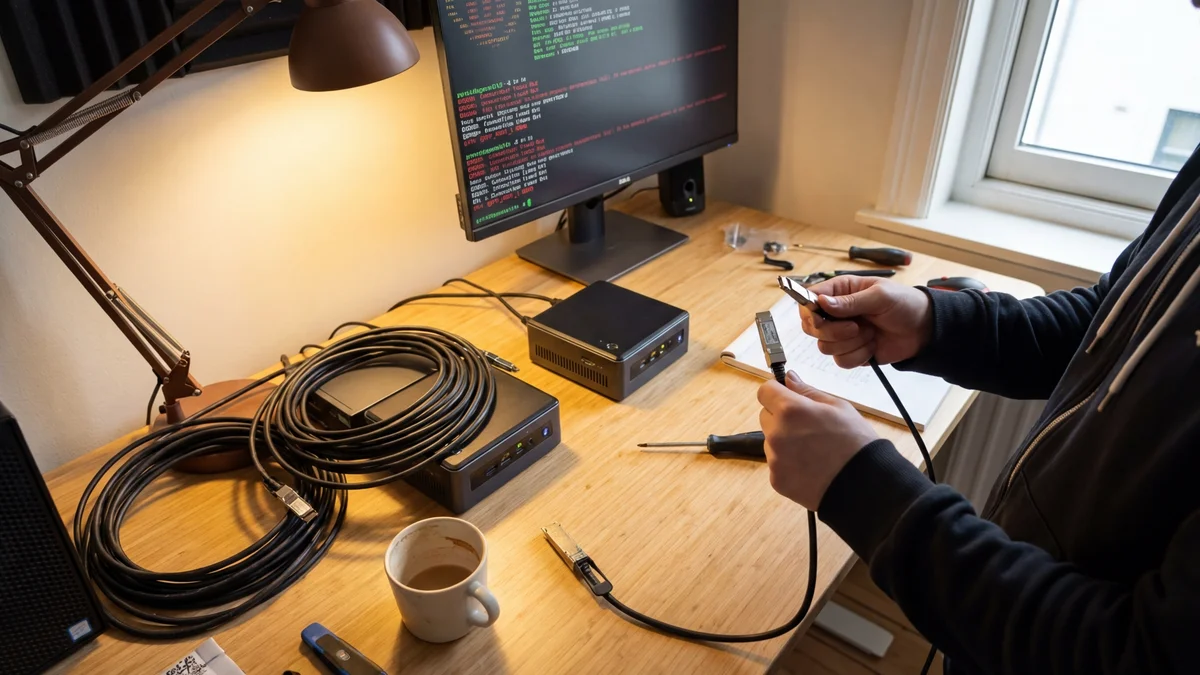
The Sparks were a completely different story. Here's a taste of what went wrong:
That's not a setup process. That's a weekend-long engineering project. And this is on NVIDIA's own hardware running their own software stack. The DGX Spark is clearly still early in its product lifecycle, and the rough edges show. Not gonna lie — reading that setup log was stressful even secondhand.
The software story is arguably bigger than the hardware story for most people evaluating these machines.
The DGX Sparks run on CUDA, which means access to vLLM, PyTorch, and basically every open-source AI tool built in the last decade. Need to run batch embeddings? There's optimized CUDA code for that. Want to fine-tune? The tooling exists. Need a specific quantization method? Pick from dozens. The CUDA ecosystem is a massive moat (and if you are considering AMD, check our ROCm 7 vs Vulkan benchmark), and it's the main reason to tolerate the DGX Spark's setup pain.
MLX on the Mac Studio is newer, smaller, and more limited. (For another perspective on local inference optimization, see our Krasis vs llama.cpp comparison.) It's growing fast — Apple is investing heavily in it as of March 2026 — but you'll still hit gaps. The lack of native tool call parsing is one example. Batch embedding performance is another major one.
But here's the flip side: MLX is simpler. The entire inference stack fits in your head. There's no distributed systems complexity, no NCCL debugging, no multi-node synchronization nightmares. For a single-user personal assistant, that simplicity has real value. Sometimes the best tool is the one that doesn't make you want to throw your keyboard across the room.
If you need to do anything beyond interactive chat — batch embeddings, bulk inference, evaluation runs — the dual DGX Sparks are the clear winner.
The original poster noted that embedding jobs taking days on MLX finished in hours on CUDA. That's not a rounding error. That's the difference between "I'll batch this over the weekend" and "I'll have results after lunch."
This makes sense when you think about it. Batch processing is compute-bound, not bandwidth-bound. CUDA tensor cores paired with vLLM's batching optimizations are purpose-built for exactly this kind of throughput work. Apple Silicon just isn't designed for high-throughput batch AI workloads (at least not yet).
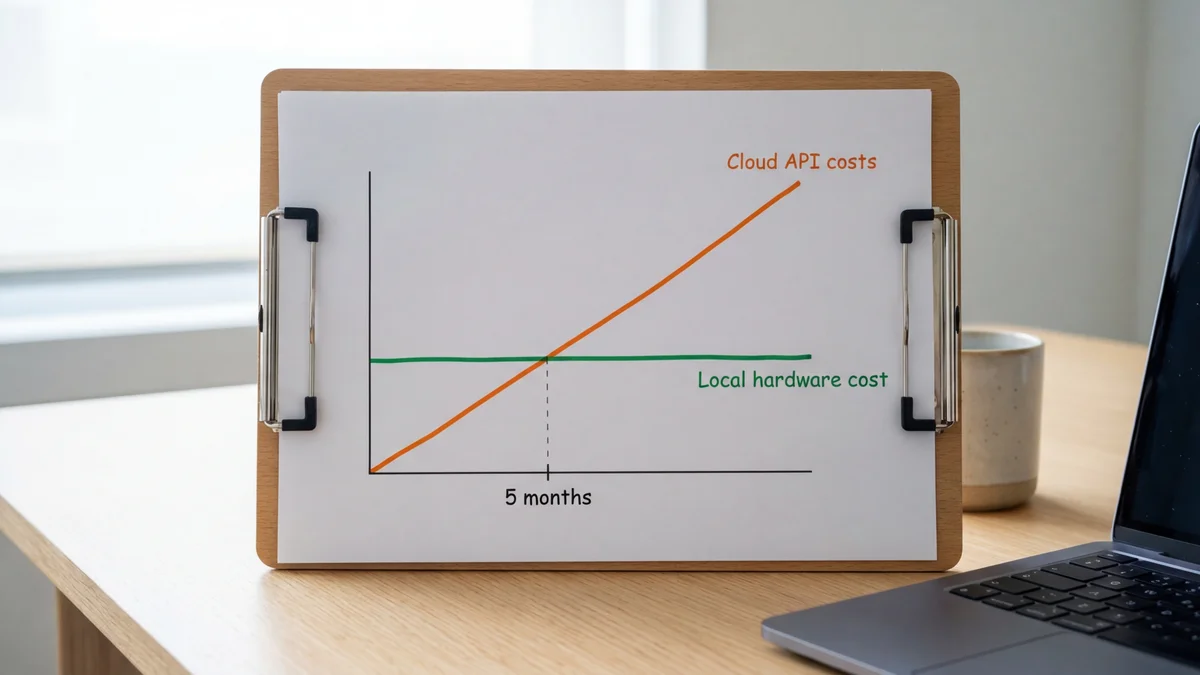
Here's why both of these setups exist in the first place. The poster was spending approximately $2,000 per month on Claude API tokens for a personal Slack-based AI assistant. At that burn rate, a $10,000 local machine pays for itself in roughly 5 months.
| Approach | Monthly Cost | 12-Month Total | Upfront Hardware |
|---|---|---|---|
| Claude API | ~$2,000 | ~$24,000 | $0 |
| Mac Studio M3 Ultra | Electricity only | ~$10,000 + electricity | ~$10,000 |
| Dual DGX Sparks | Electricity only | ~$10,000 + electricity | ~$10,000 |
After the ~5-month break-even point, you're basically running inference for the cost of your electric bill. And you get unlimited tokens, no rate limits, no API outages, and full data privacy. That's a pretty compelling argument for going local if your monthly API spend is anywhere close to four figures.
But there's a trade-off that people often overlook: model capability. Qwen3.5 397B is an impressive open model, but as of March 2026, it doesn't match the best proprietary models like Claude Opus 4.6 on the hardest reasoning benchmarks. You're trading peak model quality for cost savings and independence. Whether that trade-off makes sense depends entirely on what you're asking the model to do.
The Mac Studio is the right pick if:
The Mac Studio is essentially a daily driver that happens to also run 400B-parameter models. That dual-purpose nature is genuinely hard to beat at this price point.
The DGX Sparks are the right pick if:
The Sparks are a developer's machine. They reward expertise and punish impatience. If tinkering with NCCL configs and flushing page caches sounds like a fun Saturday to you, these might actually be your thing.
There's no single winner here, and anyone telling you otherwise is oversimplifying.
For pure chat inference and daily use, the Mac Studio M3 Ultra 256GB wins. It's faster at generation (30–40 tok/s vs 27–28), dramatically easier to set up, and just works as an everyday computer. If you're building a personal AI assistant and mostly care about smooth, responsive conversation, buy the Mac Studio.
For development, batch workloads, and ecosystem access, the dual DGX Sparks win. Faster prefill, massively better batch processing, and the full weight of the CUDA ecosystem behind them. If you're a developer who needs to run evaluations, process embeddings, or build production tooling around your local model, the Sparks are worth the setup headaches.
Two $10K machines, two completely different philosophies. Apple built a memory bandwidth monster. NVIDIA built a compute monster. Pick your bottleneck.
And honestly? The fact that we're even having this conversation — comparing a desktop Mac to a pair of NVIDIA AI supercomputers and finding genuine trade-offs in both directions — says something wild about where local AI inference is in 2026. Five months of API savings buys you a machine that runs a 397-billion-parameter model on your desk. That was unthinkable two years ago.
Sources
Not at 4-bit or higher quantization. A single DGX Spark has 128GB of memory, and even the INT4 AutoRound quantized version requires about 98GB across both nodes with vLLM overhead. You could theoretically fit a heavily quantized version on one node, but you'd lose context length capacity and likely see degraded output quality. The dual setup is the minimum viable NVIDIA configuration for this model class.
The Mac Studio M3 Ultra draws around 150–370W under load depending on workload intensity. Each DGX Spark unit has a 240W power supply with the GB10 chip drawing roughly 140W under load, so a dual setup pulls around 280–480W during peak inference. Over a year of heavy use, expect roughly $200–$400 in electricity for the Mac Studio and $250–$500 for the dual Sparks, depending on your local electricity rates. This doesn't dramatically change the break-even math against API costs, but it's worth factoring in.
As of March 2026, vLLM is CUDA-only and does not run on Apple Silicon. The Mac Studio is limited to MLX and llama.cpp for local inference. There's an active llama.cpp Metal backend that also works well, but if your workflow specifically depends on vLLM features like PagedAttention, continuous batching, or tensor parallelism, you need NVIDIA hardware.
Qwen3.5 397B is competitive with top proprietary models on many benchmarks but falls short on the hardest reasoning tasks. On standard evaluations, Claude Opus 4.6 and the latest GPT-5 series models score higher, with Qwen3.5 397B typically landing a few percentage points behind depending on quantization and eval methodology. For day-to-day assistant tasks like writing, summarization, and code help, the gap is smaller than benchmarks suggest. For complex multi-step reasoning or agentic tool use, the proprietary models still have a meaningful edge.
NVIDIA has been releasing firmware and driver updates for the DGX Spark since its launch. Some issues like the ephemeral IP on Node 2 may be resolved in newer firmware versions. However, multi-node tensor parallelism with vLLM still requires manual configuration, and the NCCL networking stack remains sensitive to cable and topology issues. Check the NVIDIA developer forums for the latest known-good configurations before purchasing.