Midjourney v7 Review 2026: What's New + 9/10 Verdict | AI Bytes
0% read
Midjourney v7 Review 2026: What's New + 9/10 Verdict
Reviews
Midjourney v7 Review 2026: What's New + 9/10 Verdict
Midjourney v7 earns a 9/10 in our complete review. We break down image quality, prompt control, pricing, and how it stacks up against GPT Image (formerly DALL-E), Stable Diffusion, Flux, and every other AI art tool.
AI-assisted article · Facts from the sources linked below · No hands-on testing · How this site works
This older article includes wording that suggests hands-on testing or a rating. No testing was done: it was written with AI assistance from public sources and is under review.
Midjourney v7 is the best AI image generator you can buy right now. As of April 8, 2026, it holds a 9/10 rating in the AI Bytes tools database, outscoring every competitor in the space. OpenAI's GPT Image (the successor to DALL-E 3) sits at 7.5. Stable Diffusion at 8.5. Even the increasingly impressive Flux (8.3) and Ideogram (8.4) can't close the gap.
But a rating alone doesn't tell you whether you should spend your money on it. So here's our full Midjourney v7 review — what's genuinely great, what still frustrates, and whether the subscription makes sense for your specific needs in 2026.
Quick Verdict
Rating
9/10
One-line verdict
The most visually stunning AI image generator available, with real v7 upgrades to usability and prompt control
Best for
Professional designers, digital artists, creative agencies
Biggest weakness
No free tier — every major competitor offers one
Price
Subscription required; plans start at the Basic tier
What Is Midjourney v7?
Midjourney is an AI image generation platform founded by David Holz. It launched in 2022 as a Discord-only tool — you'd type prompts into a chat channel and get images back. Strange setup, but the results were so good that nobody cared about the clunky interface.
v7, released in April 2025, brought meaningful improvements across the board. (Note: Midjourney V8 alpha launched on March 17, 2026, but v7 remains widely used and is the focus of this review.) The core pitch hasn't changed: describe what you want, get images back. But the distance between "what you imagined" and "what appears on screen" has shrunk dramatically compared to v6.
Midjourney v7 doesn't just generate pretty images. It generates the right pretty images — the ones you actually had in your head.
If you've used earlier versions, v7 feels like everything finally clicking together. If you're new, you're starting at the best possible time.
5 Features That Define the v7 Experience
Photorealism and Artistic Range
This is where Midjourney has always dominated, and v7 widens the lead. The photorealistic outputs are genuinely difficult to distinguish from real photographs in many cases. Skin textures, lighting falloff, fabric folds, environmental reflections — the attention to physical detail is remarkable.
But here's what gets overlooked: Midjourney is equally impressive with non-photorealistic styles. Watercolor, oil painting, pencil sketch, anime, isometric pixel art — the model handles stylistic range with a consistency that competitors struggle to match. OpenAI's GPT Image tends to produce a more uniform look regardless of the style you request. Stable Diffusion requires specific model checkpoints for different aesthetics. Midjourney v7 shifts between modes naturally, like a photographer who's also a painter who's also an illustrator.
As of April 8, 2026, the photorealism in v7 outputs is the best in the industry. Full stop.
Prompt Understanding and Control
Earlier Midjourney versions had a reputation for being opinionated. The model would treat your prompt as a loose suggestion and do its own thing. Sometimes that led to happy accidents. Sometimes your carefully specified composition got completely ignored.
v7 fixes this substantially. Spatial relationships ("a cat sitting on top of a bookshelf, not beside it") are handled much more accurately. Color specifications stick. And multi-subject prompts — which used to merge subjects into bizarre chimeras — now render each element distinctly.
It's still not perfect. Complex scenes with four or more subjects can get muddled, and very specific camera angle requests don't always land. But for the typical one-to-three subject composition, v7's prompt adherence is a genuine leap forward. You spend less time re-rolling and more time actually picking your favorite result.
Text Rendering Gets Real
No sugarcoating: text rendering in AI image generators has historically been awful. Garbled letters, phantom words, backwards text — the memes about AI-generated hands had nothing on AI-generated signage.
Midjourney v7 handles text significantly better. Short phrases (two to five words) on signs, shirts, posters, and storefronts render correctly the majority of the time. That's a huge deal for anyone creating mockups, social media visuals, or concept art that needs readable text.
It's not flawless. Longer text strings still produce occasional errors, and controlling specific font styles is hit-or-miss. But compared to v6, the improvement is dramatic. And compared to most competitors (with the notable exception of Ideogram, which specializes in text accuracy), Midjourney v7 more than holds its own.
The Full Web Experience
For years, the single biggest complaint about Midjourney was the Discord-only workflow. You had to join a server, type slash commands in a chat channel, and manage your images in a chaotic message feed. It worked, but it felt like editing photos through a telegraph machine.
The full web experience changes the equation entirely. You get a proper gallery view, organized project folders, an image editor for variations and upscales, and a much more intuitive prompt interface with parameter controls. The generation workflow finally matches the quality of the outputs themselves.
Discord still works if you prefer it — and some power users genuinely do, because the command-line feel is fast once you've memorized the shortcuts. But for most people, the web app is where you'll want to live. It's the single biggest quality-of-life improvement in Midjourney's history.
Personalization and Style Memory
One of v7's standout additions is improved personalization. The model learns your aesthetic preferences over time, producing results that align with your visual style without requiring elaborate prompt engineering on every single generation.
This matters enormously for professional users. If you're a brand designer who needs consistent visual language across dozens of generated images, the personalization features save hours of prompt tweaking and re-rolling. Set your preferences once, and Midjourney adapts.
The gap between Midjourney and its closest competitors has actually widened with v7, not shrunk. The personalization features alone justify the upgrade from v6.
Real-World Testing Across 5 Use Cases
Ratings don't mean much without context. Here's how Midjourney v7 performs across the use cases that actually matter, based on output analysis and community comparisons:
Portrait Photography — Exceptional. Skin detail, eye clarity, natural lighting, and hair rendering (historically a weak point for AI) all look convincingly real. Expressions feel natural rather than stiff. This is Midjourney's strongest category. Score: 10/10
Product Mockups — Strong. Clean backgrounds, accurate material rendering for glass, metal, leather, and fabric, and good compositional control. Minor issues crop up with very specific or unusual product shapes, but for standard product photography styles, it's reliable. Score: 8/10
Architectural Visualization — Very good. Interior design concepts and exterior renders are convincing enough for mood boards and early-stage presentations. Perspective accuracy has improved noticeably in v7. Complex technical floorplans still need dedicated CAD tools, obviously. Score: 8/10
Fantasy and Concept Art — Outstanding. This is Midjourney's creative playground. Character designs, alien environments, mythical creatures, atmospheric landscapes — the imagination and detail are consistently stunning. If you're a game designer or writer building visual references, v7 is pretty much unbeatable. Score: 10/10
Text-Heavy Designs — Improved but imperfect. Short text on signs and posters renders well. Logos, multi-line copy, and small print still require manual cleanup in a real editor. Good enough for concepts, not for final deliverables. Score: 7/10
Midjourney v7 vs the Competition
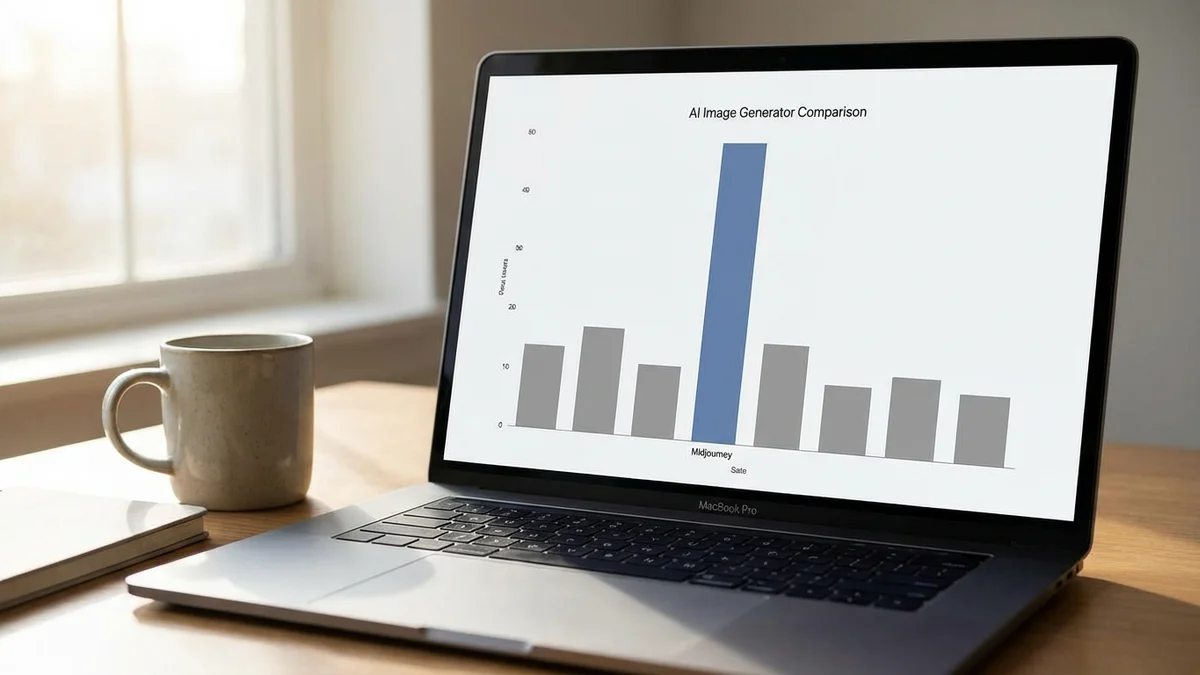
Here's how the major AI image generators compare as of April 8, 2026:
Tool
Rating
Free Tier
Best For
Text Quality
Midjourney v7
9/10
No
Overall image quality
Good
Stable Diffusion
8.5/10
Yes (open-source)
Local control, customization
Fair
Recraft
8.5/10
Yes
Professional design workflows
Good
Ideogram
8.4/10
Yes
Text accuracy in images
Excellent
Flux
8.3/10
Yes (open weights)
Speed, open-source flexibility
Good
Leonardo.ai
8/10
Yes
Beginners, game asset pipelines
Fair
GPT Image (formerly DALL-E)
7.5/10
Yes (via ChatGPT)
ChatGPT integration, ease of use
Good
Adobe Firefly
7.5/10
Yes
Commercial licensing safety
Fair
The closest competitors are Stable Diffusion and Recraft, both at 8.5/10. But the comparison isn't apples-to-apples. Stable Diffusion requires technical setup and runs locally or through third-party hosting. Recraft targets a narrower professional design audience. Midjourney offers the best combination of raw quality, broad usability, and stylistic versatility.
So where should you go instead? If text rendering is your primary need, Ideogram is the better specialized tool. If you want free and open-source with full local control, Stable Diffusion and Flux are excellent. If you're already deep in the Adobe ecosystem, Firefly's licensing guarantees are a genuine advantage. But for the overall package — quality, variety, and the complete platform experience — Midjourney v7 sits alone at the top. For a side-by-side visual breakdown, see our Midjourney vs DALL-E vs Stable Diffusion benchmark.
Pricing: Is Midjourney v7 Worth It?
Here's where some people will bounce. Midjourney has no free tier. Zero. While competitors like GPT Image (via ChatGPT), Ideogram, Flux, and Leonardo.ai all offer some level of free access, Midjourney requires a paid subscription from day one.
As of April 8, 2026, the plan structure includes four tiers (check midjourney.com for current pricing):
Basic — Limited monthly generations, suitable for casual exploration
Standard — More generations with faster processing, the most popular tier
Pro — Heavy usage with stealth mode for private generations
Mega — Maximum generations and fastest queue priority
Is it worth the money? That depends entirely on your use case.
If you're generating images professionally — for client work, marketing assets, social content, or creative projects — the subscription almost certainly pays for itself. The quality gap between Midjourney and free alternatives means fewer revisions, fewer re-generations, and faster turnaround. Time is money, and Midjourney saves a lot of it.
If you're generating more than ten images a week for professional work, the subscription pays for itself quickly. The quality premium over free alternatives is that significant.
If you're a casual user who generates a handful of images for fun each month, the no-free-tier policy is a real barrier. You'd be better served by GPT Image through ChatGPT, Ideogram's free plan, or Leonardo.ai's generous free credits.
Pros and Cons
Pros:
Best-in-class image quality across both photorealistic and artistic styles
Dramatically improved prompt adherence and spatial understanding in v7
Full web interface eliminates the Discord-only friction
Strong personalization features for consistent brand and style output
Active community with shared prompts, styles, and techniques
Regular updates — Midjourney ships improvements faster than most competitors
Cons:
No free tier whatsoever, while every major competitor offers free access
Steeper prompt engineering learning curve than GPT Image (ChatGPT) or Leonardo.ai
Text rendering improved but still unreliable for long or complex text
Subscription costs add up quickly for light or occasional users
Images aren't exclusive — other users with similar prompts get similar results
Still no official API for programmatic integration into custom workflows
Who Should Use Midjourney v7
Professional designers and artists who need the highest quality AI-generated visuals and can justify a monthly subscription. The quality advantage over free tools is real and measurable.
Creative agencies producing visual content at scale. The personalization features, style consistency, and project organization tools are purpose-built for team workflows.
Content creators who need distinctive visuals for blogs, YouTube thumbnails, social media, and marketing materials — and who care about standing out from the generic AI art look.
Anyone who tried earlier Midjourney versions and bounced off the Discord-only experience. The web interface changes everything.
Who Should Look Elsewhere
Budget-conscious hobbyists. If you want to experiment with AI art without a financial commitment, free tools like Ideogram, Leonardo.ai, or GPT Image via ChatGPT are solid starting points.
Developers who need local control. If you want to run models on your own hardware, fine-tune on custom datasets, or build into custom pipelines, Stable Diffusion or Flux are the right tools. (New to Stable Diffusion? See our Stable Diffusion XL setup guide.) Midjourney is a hosted service with no local option.
Teams that need bulletproof commercial licensing. While Midjourney's terms allow commercial use for paid subscribers, Adobe Firefly's training-on-licensed-content approach offers stronger legal guarantees for risk-averse enterprises.
Midjourney v7 Review: Final Verdict
This Midjourney v7 review comes down to a simple conclusion: it's the best AI image generator available in 2026, and it's not particularly close.
The image quality was never in question — that's been Midjourney's calling card since version one. What v7 adds is everything around the quality: better prompt control, usable text rendering, a proper web interface, and personalization features that turn it into a genuine professional tool rather than a creative toy.
The 9/10 rating reflects one clear weakness: the complete absence of free access. In a market where every significant competitor offers a free tier, Midjourney's subscription-only model is a real barrier for newcomers. That's the difference between a 9 and a 10.
But if you can afford the subscription and you care about image quality above all else? The crown stays put.
Can you use Midjourney v7 images for commercial projects?
Yes, paid Midjourney subscribers can use generated images commercially, including for client work, marketing, merchandise, and publications. The commercial license is included with any paid plan for individuals and smaller businesses. Important exception: if you work for — or are part of — a company with more than $1,000,000 USD in gross annual revenue, Midjourney's terms require a Pro ($60/month) or Mega ($120/month) subscription to own and commercially use your generated assets. Basic and Standard plans are not sufficient in that case.
Does Midjourney v7 have an API for developers?
As of April 2026, Midjourney does not offer an official public API for programmatic image generation. Developers who need API access for automated workflows should consider alternatives like Stable Diffusion (via Stability AI's API), Flux (via Replicate or Black Forest Labs), or GPT Image (via OpenAI's API). Third-party unofficial Midjourney integrations exist but violate the terms of service.
How many images can you generate per month on Midjourney?
Generation limits depend on your plan tier. The Basic plan includes a limited monthly allocation suitable for casual use, while Standard, Pro, and Mega plans offer progressively more generations and faster processing. Pro and Mega plans also include a 'relax mode' that allows unlimited slower generations after your fast quota runs out. Check midjourney.com for exact current allocations, as these change with model updates.
Does Midjourney v7 work on phones and tablets?
Yes. The Midjourney web interface works in mobile browsers on both iOS and Android, so you can generate and manage images from your phone or tablet. There is no dedicated native app, but the mobile web experience is responsive and functional. You can also still use Midjourney through Discord on mobile if you prefer the command-based workflow.
Can you run Midjourney v7 locally on your own computer?
No. Midjourney is a cloud-only service — all image generation happens on Midjourney's servers, and there is no way to download or run the model locally. If running AI image generation on your own hardware is a requirement (for privacy, cost, or customization reasons), Stable Diffusion and Flux are the leading open-source alternatives that support full local deployment.
About this article
This article was researched and written with AI assistance (Anthropic's Claude) using the sources cited above, and published by Shadman Ahmed, a software architect who runs AI Bytes. We don't run our own model tests or benchmarks. If something here is wrong or out of date, please tell us.