Krasis vs llama.cpp: Is 10x Faster LLM Inference Real? | AI Bytes
0% read
Krasis vs llama.cpp: Is 10x Faster LLM Inference Real?
Comparisons
Krasis vs llama.cpp: Is 10x Faster LLM Inference Real?
Krasis LLM Runtime claims dramatically faster inference than llama.cpp for large MoE models on a single NVIDIA GPU. We break down the real numbers, the retracted benchmarks, and when each tool wins.
March 25, 2026
10 min read
423 views
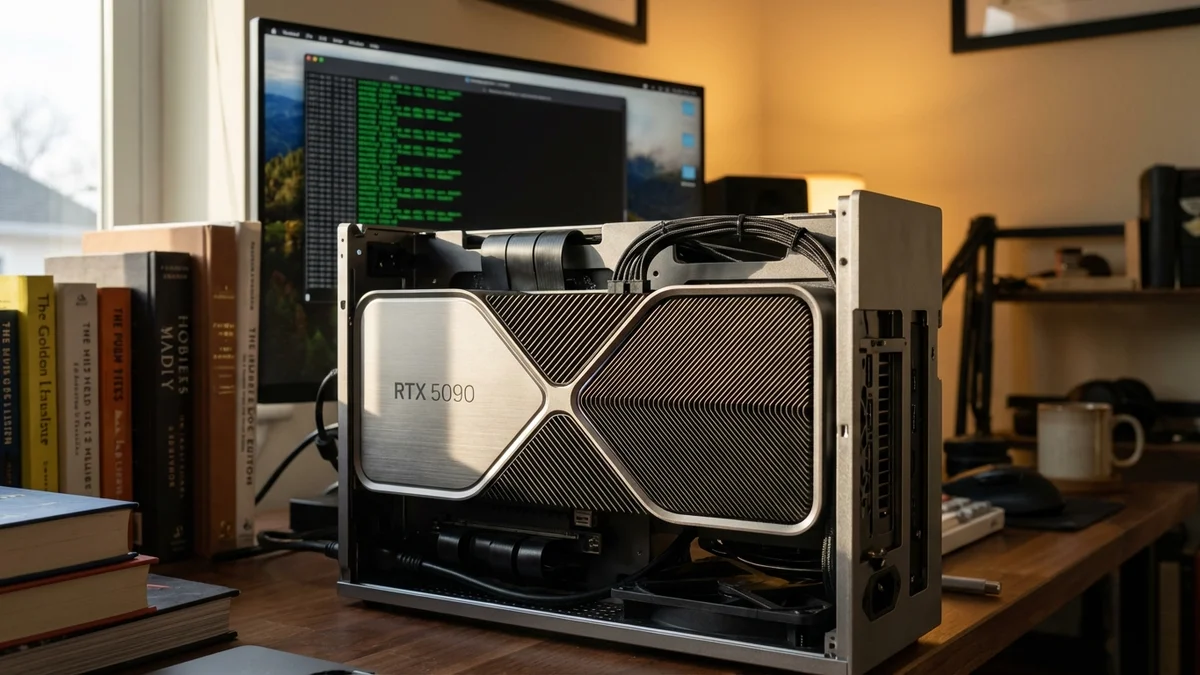
Nearly 3,000 tokens per second of prefill on a 122-billion-parameter model. On a single consumer GPU. No multi-card rig, no enterprise hardware, no cloud bill.
That's the headline number from Krasis LLM Runtime, a new local inference engine that landed on r/LocalLLaMA with some bold claims: 8.9x faster prefill and 10.2x faster decode versus llama.cpp when running Qwen3.5-122B-A10B on an NVIDIA RTX 5090. The developer later pulled back those direct comparison numbers — acknowledging that llama.cpp performance varies heavily based on CPU, DRAM speed, and non-default flags — but the absolute throughput Krasis is posting is hard to argue with.
So let's break down what Krasis LLM Runtime actually delivers, how it compares to llama.cpp on real workloads, and whether it deserves a spot in your local AI stack.
Quick Verdict: Krasis vs llama.cpp
Krasis LLM Runtime is purpose-built for running large Mixture of Experts (MoE) models on a single NVIDIA GPU with minimal system RAM. If you're trying to run Qwen3.5-122B or even the 235B variant on one RTX 5090, it's currently the fastest option available. llama.cpp remains the Swiss Army knife of local inference — it supports hundreds of models, runs on practically any hardware, and has years of community optimization behind it.
If you want raw speed on big MoE models with NVIDIA hardware, Krasis wins. If you want broad compatibility and a battle-tested ecosystem, llama.cpp is still king.
Comparison Overview
Feature
Krasis LLM Runtime
llama.cpp
Primary Focus
Fast MoE inference on NVIDIA GPUs
Universal local LLM inference
GPU Support
NVIDIA only (5090, 5080 confirmed)
NVIDIA, AMD, Apple Silicon, Intel
CPU Inference
No — GPU-only execution
Yes — full CPU support
Model Format
Q4 quantized MoE models
GGUF (Q2–Q8, FP16, many options)
Supported Models
~5 MoE models (expanding)
Hundreds of architectures
API Compatibility
OpenAI-compatible server
OpenAI-compatible server
RAM Requirements
~2x model size
Varies; can be higher for offloading
Installation
Single-line install via GitHub
Build from source or prebuilt binaries
Maturity
New (early 2026)
Established (since March 2023)
Community Size
Growing
Massive
Cost
Free
Free (MIT License)
Performance: The Numbers That Matter
How fast is Krasis LLM Runtime compared to llama.cpp? While the direct head-to-head numbers were retracted, Krasis posts throughput figures that speak for themselves. As of March 25, 2026, these are the reported speeds on a single RTX 5090 via PCIe 4.0, all models running at Q4 quantization:
Model
Total Params
Active Params
Prefill (tok/s)
Decode (tok/s)
Qwen3.5-35B-A3B
35B
3B
4,475
109.1
Qwen3-Coder-Next
80B
3B
3,560
70.3
Qwen3.5-122B-A10B
122B
10B
2,897
27.7
Qwen3-235B-A22B
235B
22B
2,124
9.3
Those prefill numbers are wild. Nearly 3,000 tokens per second on a 122-billion-parameter model means prompt processing essentially becomes invisible for most use cases — long system prompts, RAG context injection, all of it just flies through.
And the decode speeds tell an equally interesting story. 27.7 tokens per second on Qwen3.5-122B-A10B is comfortable reading speed (roughly 4–5x faster than most people read). For a model that large running on one consumer GPU, that's pretty remarkable.
But here's what really caught my attention: Krasis can run Qwen3-Coder-Next on a single 16GB RTX 5080 at 1,801 tok/s prefill and 26.8 tok/s decode. That brings serious local inference capability down to the sub-$1,000 GPU tier.
Why Is Krasis So Fast?
The key architectural decision is running both prefill and decode entirely on the GPU with very different optimization strategies for each phase. The developer dropped an earlier dual-format system (which split work between CPU and GPU) in favor of this GPU-only execution model.
This matters because MoE models have a unique property: only a fraction of total parameters are active for any given token. Qwen3.5-122B-A10B has 122 billion total parameters but only activates about 10 billion per token. Krasis appears to be extremely aggressive about exploiting this sparsity — think of it like a library where you only need to pull 10 books off the shelf at a time, even though the library holds 122. You don't need to carry the whole collection around.
The runtime stores the full quantized model in system RAM and brings active expert weights into VRAM as needed. Because MoE routing is predictable within a forward pass, the data transfer overhead stays manageable even over PCIe.
What About llama.cpp?
Real talk — and the Krasis developer was refreshingly honest about this — llama.cpp performance on these workloads varies enormously depending on your CPU, DRAM speed, and which configuration flags you pass. The original 8.9x and 10.2x comparison numbers were pulled from the readme because they weren't representative of what a well-tuned llama.cpp setup could achieve.
llama.cpp has had years of optimization work from hundreds of contributors. For models that fit entirely in VRAM, llama.cpp on a 5090 will give you excellent performance. The gap likely narrows significantly for smaller models and widens for larger ones that require heavy offloading between system RAM and VRAM.
That said, llama.cpp's architecture wasn't designed from the ground up for MoE offloading the way Krasis was. When you're running a 235B-parameter model on one GPU — which requires constant data movement between system RAM and VRAM — a purpose-built solution has inherent advantages over a general-purpose one.
The developer pulled back the direct llama.cpp comparisons, but the raw throughput numbers don't need a comparison to be impressive.
Memory Efficiency: Running Giants on Consumer Hardware
This is arguably Krasis LLM Runtime's strongest selling point. Traditional approaches to running models larger than your VRAM capacity require CPU offloading, which typically tanks decode speed because you're constantly shuffling weight tensors over the PCIe bus.
Krasis takes a different path. As of March 2026, the runtime needs system RAM of approximately 2x the quantized model size. For Qwen3.5-122B-A10B at Q4 quantization, that's approximately 122GB of system RAM — manageable with 128GB DDR5, which runs around $400-500 these days.
The developer notes that RAM requirements have been optimized in recent releases.
For the RTX 5080 configuration running Qwen3-Coder-Next, you're looking at a complete inference setup well under $2,000 in GPU plus RAM. Local inference at that price point, at those speeds, was pretty much impossible a year ago.
Model Support: The Specialist vs the Generalist
This is llama.cpp's biggest advantage. It's not close.
llama.cpp supports virtually every popular open model architecture: Llama 4, Mistral, Qwen, Phi, Gemma, Command R, DeepSeek, StarCoder, and dozens more. New architectures typically get llama.cpp support within days of release. (For a deep dive on one of those models, see our Qwen3.5-9B benchmark analysis.) The GGUF format has become the de facto standard for local quantized inference.
Krasis currently supports five models — four from the Qwen family plus DeepSeek V2-Lite:
Qwen3.5-35B-A3B
Qwen3-Coder-Next
Qwen3.5-122B-A10B
Qwen3-235B-A22B
The developer has indicated that additional model support is planned. But right now, if your preferred model isn't on that short list, Krasis simply isn't an option.
Krasis is a scalpel. llama.cpp is a Swiss Army knife. Both are sharp — pick the tool based on the job.
Installation and Ecosystem
Krasis offers single-line installation and lives on GitHub. The server exposes an OpenAI-compatible API, so it should work with any tool that supports that format. The developer has specifically mentioned expanding support for IDE integrations like Opencode and Aider (which is good news if you're using local models for coding assistance).
llama.cpp can be built from source or downloaded as prebuilt binaries. It also offers an OpenAI-compatible server mode. But the real ecosystem advantage is everything built on top of it — Ollama wraps it in a dead-simple CLI, LM Studio gives you a GUI, and dozens of frontends and libraries integrate with it.
For someone new to local inference, llama.cpp through Ollama is still the smoother on-ramp. The documentation alone is in a different league.
Hardware Costs: What You'll Actually Spend
Both runtimes are free. The real cost is hardware.
For context, running a model like Qwen3.5-122B-A10B through a cloud API costs real money per million tokens. Running it locally on Krasis means your marginal cost per token is essentially just electricity. If you're doing heavy inference — coding assistance, batch document processing, or running an always-on local assistant — that hardware pays for itself surprisingly fast.
llama.cpp has the advantage of running on cheaper and more diverse hardware: older NVIDIA GPUs, AMD cards, Apple Silicon Macs, or even CPU-only setups. You won't match Krasis speeds, but you'll be running. A Mac Mini with 24GB unified memory and llama.cpp is still one of the best bang-for-buck local LLM setups out there.
When to Choose Krasis
You own an RTX 5090 or 5080 and want maximum throughput on large MoE models
You're specifically working with Qwen3 family models
You want to run 100B+ parameter models locally without a multi-GPU rig
Prefill speed is critical for your workflow (RAG pipelines, long context windows, batch processing)
You're comfortable running newer software that's still expanding model support
When to Stick with llama.cpp
You need non-Qwen models — Llama 4, Mistral, DeepSeek, or anything else
You're on AMD, Apple Silicon, or Intel hardware
You want a mature, well-tested codebase with massive community support
You rely on the broader ecosystem (Ollama, LM Studio, text-generation-webui)
You need flexible quantization options from Q2 through Q8 and beyond
You don't have a recent NVIDIA GPU
The Bigger Picture for Local Inference
Krasis is part of a broader trend we're seeing in early 2026: specialized inference engines that sacrifice generality for raw speed on specific hardware-model combinations. We saw this pattern play out with vLLM and TensorRT-LLM in the server space, and it's now reaching consumer-grade hardware in a meaningful way.
The fact that a single developer can build a runtime that pushes a 235B-parameter model at usable decode speeds on one consumer GPU says something about where local AI is heading. As of March 2026, the optimization gap between theoretical hardware throughput and what inference engines actually deliver is still enormous — and projects like Krasis are chipping away at it from the specialist side while llama.cpp attacks it from the generalist angle.
But llama.cpp isn't standing still. Georgi Gerganov and the community have been shipping optimizations relentlessly. Competitive pressure from projects like Krasis only accelerates that work. Everyone wins.
Final Verdict
For raw MoE performance on NVIDIA hardware: Krasis wins decisively. The throughput numbers — 2,897 tok/s prefill and 27.7 tok/s decode on Qwen3.5-122B-A10B, on a single GPU — are the best we've seen for consumer hardware.
For everything else: llama.cpp remains the default. Broader model support, multi-platform compatibility, and a massive ecosystem make it the safer and more flexible choice for most users.
Our recommendation: If you have a 5090 or 5080 and you're running Qwen MoE models, give Krasis a shot. The single-line install makes it low-risk to test. Keep llama.cpp around for everything else. They're not mutually exclusive — and right now, the best local inference setup is probably running both.
Does Krasis LLM Runtime support AMD or Apple Silicon GPUs?
No. As of March 2026, Krasis only supports NVIDIA GPUs — specifically the RTX 5090 and RTX 5080 have been confirmed working. If you're on AMD or Apple Silicon, llama.cpp remains your best option for local inference. The developer hasn't announced plans for non-NVIDIA support.
Can Krasis run Llama 4 or DeepSeek models?
Not yet. Krasis currently supports four Qwen MoE models: Qwen3.5-35B-A3B, Qwen3-Coder-Next, Qwen3.5-122B-A10B, and Qwen3-235B-A22B. The developer has said NVIDIA Nemotron models are next on the roadmap. There's no announced timeline for Llama or DeepSeek support.
How much system RAM do I need to run Qwen3.5-122B on Krasis?
You'll need approximately 61–64GB of system RAM. Krasis requires roughly the quantized model size (about 61GB at Q4 for Qwen3.5-122B-A10B) plus a small overhead buffer. A standard 64GB DDR5 kit, which costs around $150 in March 2026, should be sufficient. This is down from 150GB+ in earlier Krasis versions.
Does Krasis work with Ollama or LM Studio?
Krasis doesn't integrate with Ollama or LM Studio directly, but it runs an OpenAI-compatible API server. This means any application that can connect to an OpenAI-format endpoint — including tools like Open WebUI, Continue, Aider, and many IDE extensions — should work with Krasis out of the box. The developer has specifically mentioned expanding Aider and Opencode support.
Is Krasis faster than llama.cpp for small models that fit in VRAM?
Not necessarily. The developer retracted direct comparison benchmarks because llama.cpp performance varies significantly based on CPU, DRAM speed, and configuration flags. Krasis's biggest advantage appears with large MoE models that don't fit entirely in VRAM, where its purpose-built offloading strategy shines. For smaller models fully resident in VRAM, the performance gap likely narrows considerably.