Benchmarks
Homebench: The Local LLM Benchmark Tool Worth Your Time
Homebench measures speed, memory, and quality for local LLMs on your own hardware. Here's what the numbers actually reveal about running models at home.
August 4, 2026
Homebench measures speed, memory, and quality for local LLMs on your own hardware. Here's what the numbers actually reveal about running models at home.
Running a local LLM feels great until you realize you have no idea if yours is actually good. Speed? Quality? Memory footprint? Most people guess. A new open-source project called Homebench wants to fix that by giving you a single tool that measures all three on your own machine.
And it's a much bigger deal than the sparse README suggests.
Homebench is a lightweight benchmarking tool for local LLMs. It auto-discovers the models installed in your local runner, runs a curated quality suite, and reports four numbers: tokens per second, time-to-first-token (TTFT), memory footprint, and a quality score. That's the whole pitch, and honestly, that's exactly what the local-LLM community has needed for years.
 Photo by Piotr Wilk on Unsplash
The project appeared on GitHub in early August 2026 and is still quite new (21 stars as of this writing), but it fills a gap that MLPerf, lm-evaluation-harness, and llama.cpp's built-in tools each cover only partially. MLPerf targets datacenters. lm-evaluation-harness measures quality but ignores speed. llama.cpp's llama-bench gives you tokens per second but no quality signal.
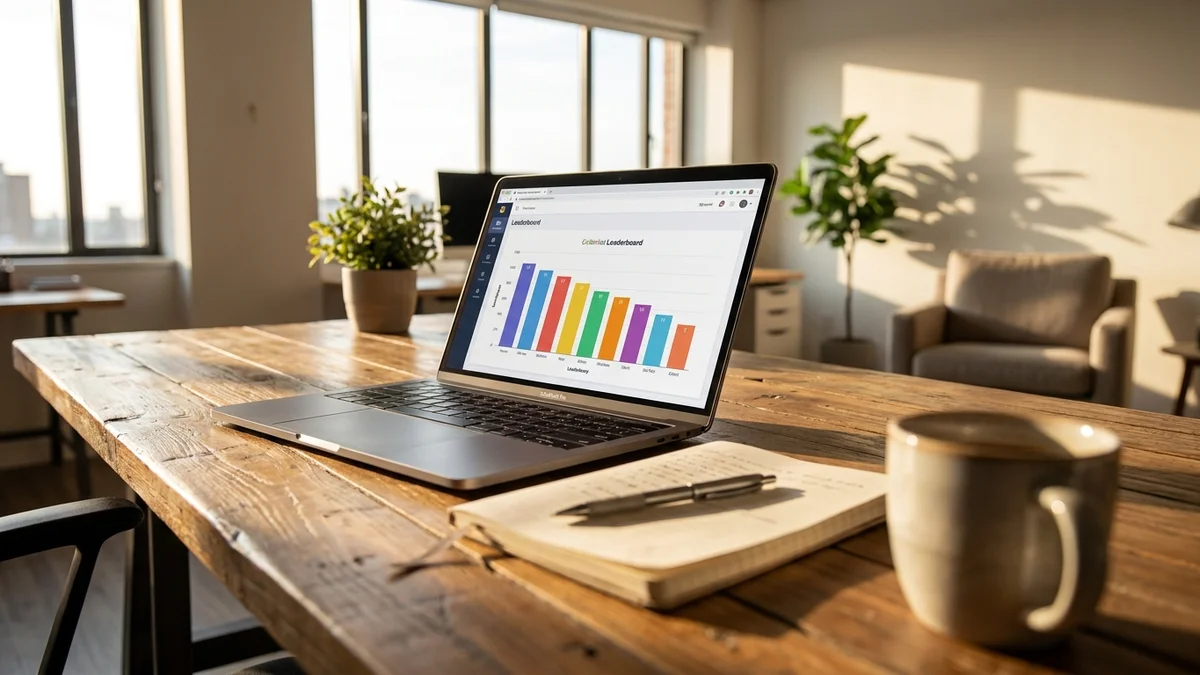
Homebench stitches all three into one CLI run, rendered as a live TUI leaderboard.
Before Homebench, benchmarking a local LLM meant running separate tools, normalizing wildly different output formats, and hoping your prompts weren't accidentally biased. Every Reddit thread comparing Llama 3.3 70B against Qwen2.5-32B was basically anecdote soup.
The problem is that "good" depends on your rig. A 4-bit quantized Mistral Small might scream on an M3 Max but crawl on a 3090 because of memory bandwidth quirks. Quality also drifts between quantization levels in ways that raw MMLU scores don't capture. You need speed, memory, AND quality measured together, on your hardware, with your quant.
That's the whole reason this tool exists.
Homebench's approach is refreshingly simple. Based on the project README, the tool:
llama-server), vLLM, or any OpenAI-compatible endpoint/api/ps, LM Studio /api/v0) plus a best-effort peak-RSS sample of the backend process--judge MODEL (any local model)Quality runs use temperature 0 and a fixed seed for reproducibility, and responses are cached under ~/.homebench so re-runs are near-instant. There's also a separate homebench throughput mode for measuring aggregate tok/s under concurrency (1, 2, 4, 8) — useful for anyone running vLLM or llama.cpp's continuous batching.
Is it perfect? No. LLM-as-judge has well-documented biases, and the README itself calls the judge "a signal, not an oracle." But the deterministic core (math, MC, JSON validation) doesn't depend on a judge at all, and the tool is transparent about which grader produced which score.
Since Homebench is brand new and there is no official leaderboard yet, the most concrete numbers available are the example output the maintainer shipped in the README, from a quick-suite run on an Apple M1 (16 GB) via Ollama:
| Model | Params | Quality | Pass | tok/s | TTFT | Memory |
|---|---|---|---|---|---|---|
| llama3.2:latest | 3.2B | 75% | 6/8 | 16.8 | 545 ms | 2.4 GB |
| alibayram/smollm3 | 3.1B | 38% | 3/8 | 16.9 | 829 ms | 2.1 GB |
Those numbers are for that specific laptop at that moment and will differ on your box. But the shape of the output — quality percentage, pass count, throughput, TTFT, and memory in one table — is the whole point. You get a defensible answer to "which of my local models is actually good, and how fast is it on this laptop?" without having to stitch three tools together.
A few observations stand out from what Homebench can actually surface.
Quantization damage isn't visible in most benchmarks. MMLU scores rarely reflect the practical drop from Q8 → Q4_K_M on your own hardware. Homebench's deterministic tasks + local execution finally make it possible to measure that on the model you actually run, not a lab-hosted variant.
Memory bandwidth beats compute on most consumer rigs. An RTX 4090 (1008 GB/s bandwidth) beats an M3 Max (up to 400 GB/s) at raw compute, but the M3's unified memory means it can host 70B models the 4090 can't touch without offloading. Homebench's memory reporting makes this trade-off visible in one run.
Bigger isn't always better. Smaller models that pass a high percentage of deterministic tasks — with 4-5x the throughput of a 70B — matter enormously for agentic workflows where latency compounds across dozens of tool calls per task.
The gap between a well-designed small model and a mediocre large one is now smaller than the gap between two large models. That changes the entire local LLM buying calculus.
So what do you do with this?
If you're running local models for coding, benchmark your own Qwen2.5-Coder variants against a smaller general model on your own hardware — the "right" quantization is highly rig-dependent.
If you're doing agentic work where every step involves an LLM call, TTFT and single-stream tok/s matter more than raw quality. Homebench surfaces both.
If you're running RAG over long documents, memory becomes the bottleneck. Homebench's memory footprint reporting is what to watch, and here Apple Silicon's unified memory is genuinely dominant despite lower peak throughput.
And if you're just running a chatbot for personal use, a small 3B-class model is likely fine. Don't overthink it — Homebench can confirm that in about two minutes.
Homebench matters because it drags local LLM discussions out of the anecdote era. Nobody was doing rigorous, reproducible, multi-axis benchmarks on consumer hardware in a single command before this. The absence made it impossible to compare hardware upgrades honestly or evaluate whether a new model release actually mattered for local use.
The project is early. The prompt suite is 31 tasks. The optional judge is off by default. There's no automated leaderboard. But the foundation is right, and it's already pip install-able (pip install homebench, then run homebench).
Compare Homebench's approach against OpenAI's evals or lm-evaluation-harness, and the local-first framing becomes obvious. Those tools assume infinite compute. Homebench assumes you have one laptop and want an answer in a couple of minutes.
That's a real distinction that matters for real users.
Yes, if you run local models seriously. The tool installs in one pip install, and the default quick suite gives usable numbers in a couple of minutes per model. Full runs across all your installed models take longer — the README suggests roughly 15-25 minutes for a full first pass, then seconds on re-runs thanks to response caching.
Skip it if you're just experimenting with Ollama and don't care about optimization. You'll get the same models running the same way whether or not you benchmark them.
But for anyone building products on local LLMs, or making hardware purchase decisions, or trying to pick between two similarly-sized models, Homebench is currently the best free option out there. Watch this project.
Homebench is a Python package (requires Python 3.9+) that talks to your local model runner over HTTP, so it works anywhere Ollama, LM Studio, llama.cpp, or vLLM run — macOS, Linux, and Windows all included. Install with `pip install homebench`. Since the project is brand new, Windows-specific edge cases may still surface, but there are no platform-specific dependencies beyond your inference backend.
The default quick suite runs the three smallest discovered models against roughly 8 tasks and finishes in a couple of minutes on a laptop. According to the README, a full pass (`--all --full`) across every installed model on all 31 tasks takes roughly 15-25 minutes on a first run, but response caching drops re-runs to seconds. Adding `--judge MODEL` for open-ended tasks extends the run.
Sort of. Homebench has an `--provider openai` mode that works with any OpenAI-compatible `/v1` server (Jan, LocalAI, TGI, vLLM, llama.cpp's `llama-server`, etc.), so you can technically point it at a hosted endpoint. But memory measurements become meaningless for hosted APIs, and you're really just measuring latency plus quality at that point. The tool is designed for local models.
MLPerf Inference targets datacenter and edge deployments with rigorous, reproducible standards designed for hardware vendors. Homebench targets individual users running local models on consumer hardware, with looser methodology but far less setup friction — one `pip install` and a single command. If you're comparing H100 clusters, use MLPerf. If you're comparing quantization levels on your desktop, use Homebench.
Yes. Homebench supports custom task packs out of the box via `--tasks mypack.yaml` (replaces the built-in suite) or `--add-tasks mypack.yaml` (appends to it). Packs are JSON or YAML with per-task graders like `exact_number`, `multiple_choice`, `contains_any`, `regex`, and `valid_json`. YAML support requires the optional extra `pip install "homebench[yaml]"`; JSON works out of the box.